Expert guides on DNS, email deliverability, and mission-critical IT setup. Industry insights from the NovaNoc team.
Hand-picked articles on IT infrastructure, email deliverability, and DNS management from our team of experts.
SPF misconfigurations are one of the most common reasons emails end up in spam. We break down the most frequent mistakes and show you exactly how to diagnose them.
By SAS · NovaNoc
DMARC alignment is the missing link in email security that most businesses don't understand. Learn how the pieces fit together.
By SAS · NovaNoc
DNS propagation doesn't work the way most guides describe it. We explain what's really happening, why timing matters, and how to troubleshoot when something goes wrong.
By SAS · NovaNoc
DKIM is powerful when set up correctly, but one small mistake breaks email authentication entirely. Here are the issues we see most frequently.
By SAS · NovaNoc
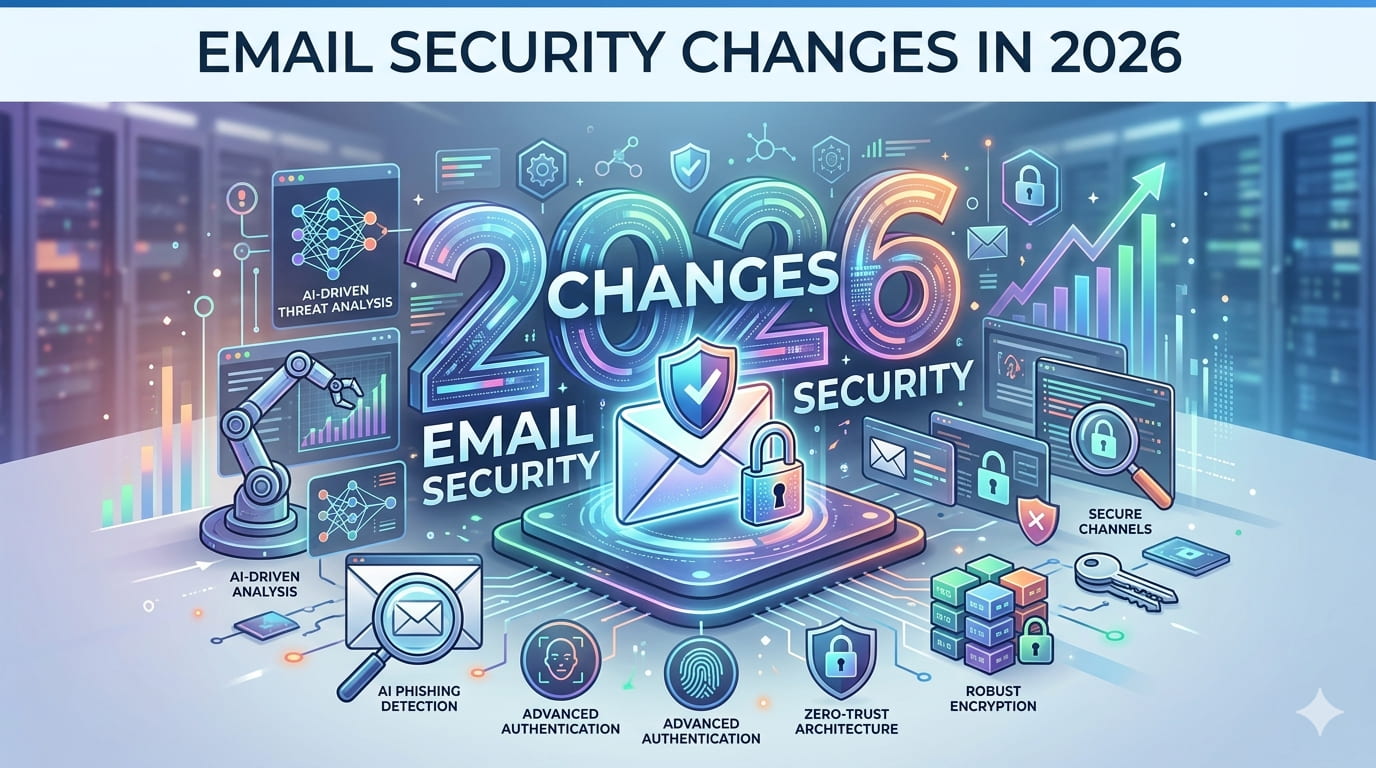
Google and Microsoft have tightened authentication requirements significantly. If you haven't updated your infrastructure this year, you're at risk.
By SAS · NovaNoc
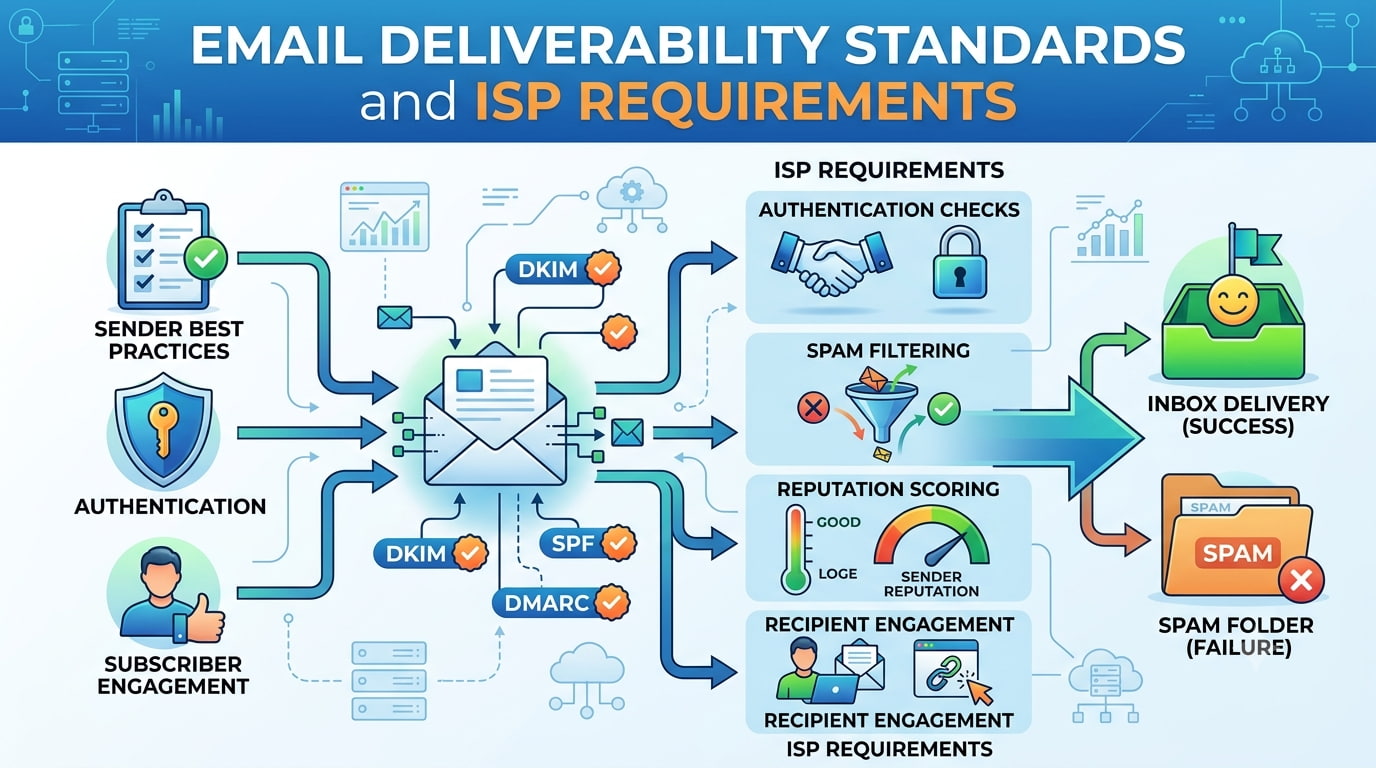
ISPs have different expectations for email infrastructure. We break down what actually matters to Gmail, Outlook, and Yahoo — and why your setup might be silently failing.
By SAS · NovaNoc
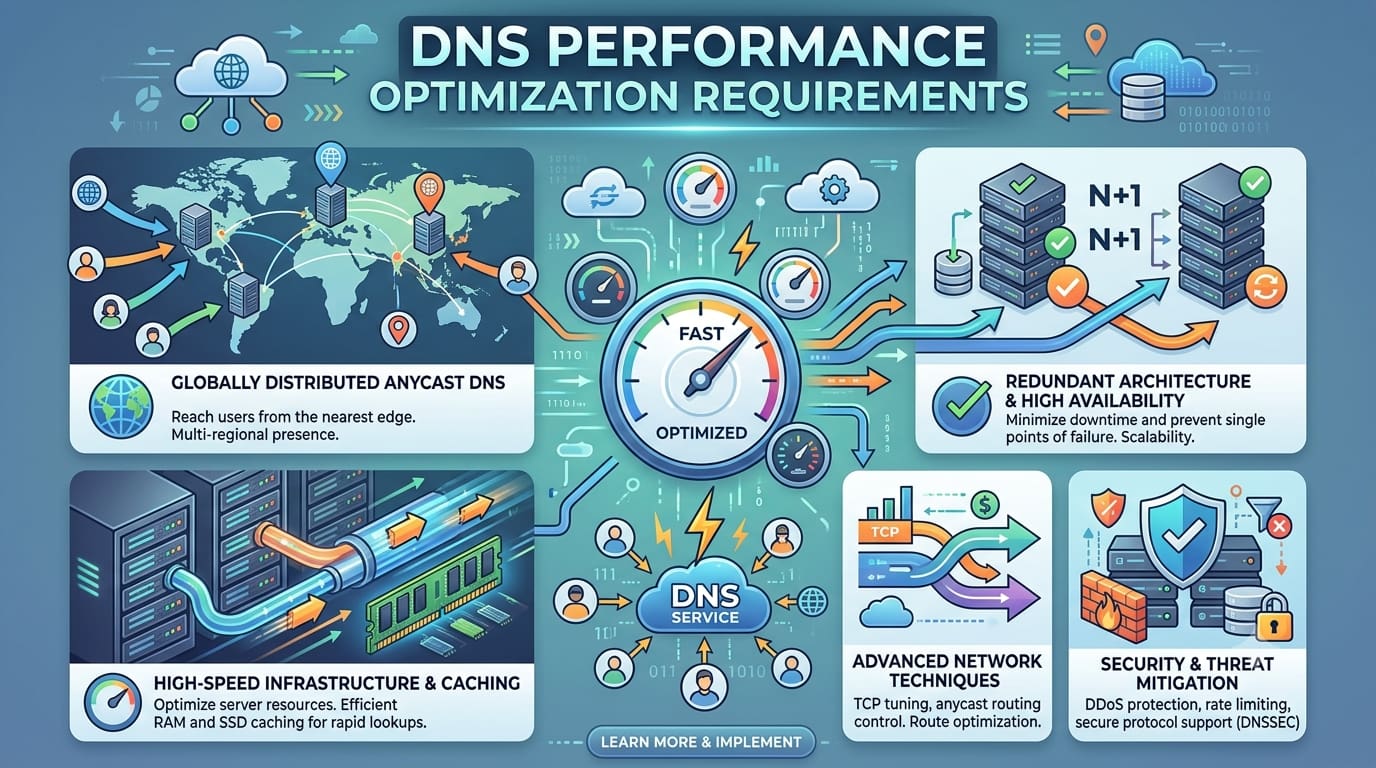
Slow DNS responses cost you users and revenue. Most businesses don't measure their DNS performance — and don't realize how much it affects everything else.
By SAS · NovaNoc
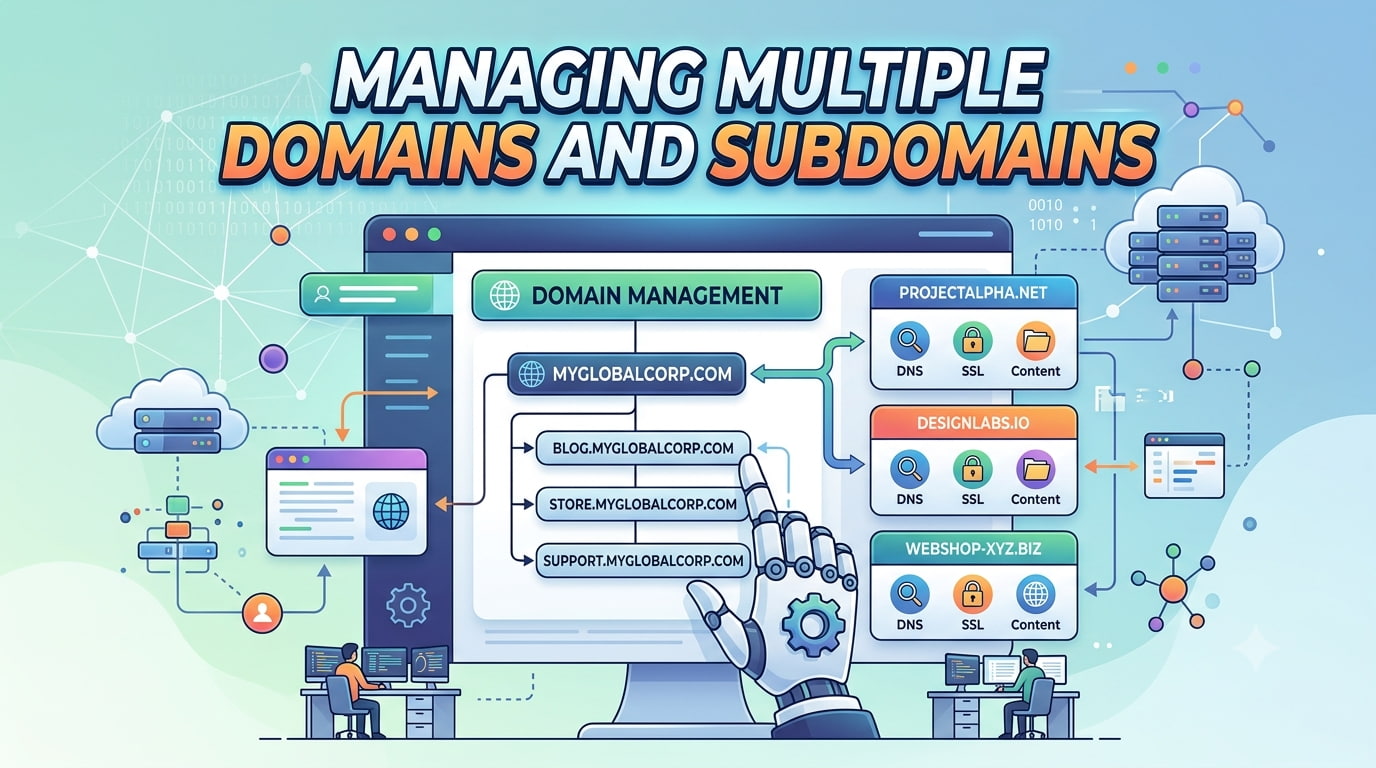
Domain portfolios get messy fast. We explain where configuration drift happens, what breaks silently, and why consolidation is harder than it looks.
By SAS · NovaNoc
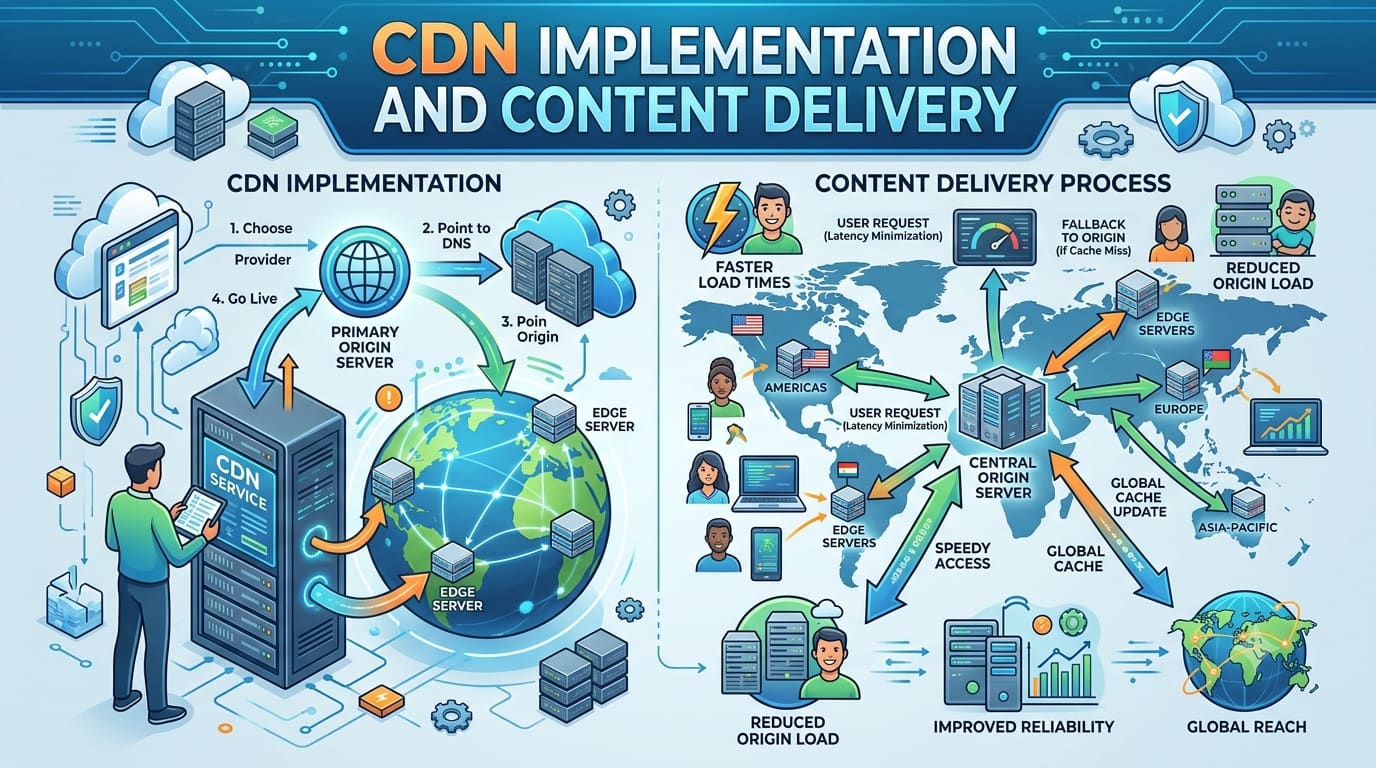
Faster websites seem obvious — until you implement a CDN and things break in unexpected ways. We explain cache conflicts, geographic edge cases, and optimization tradeoffs.
By SAS · NovaNoc
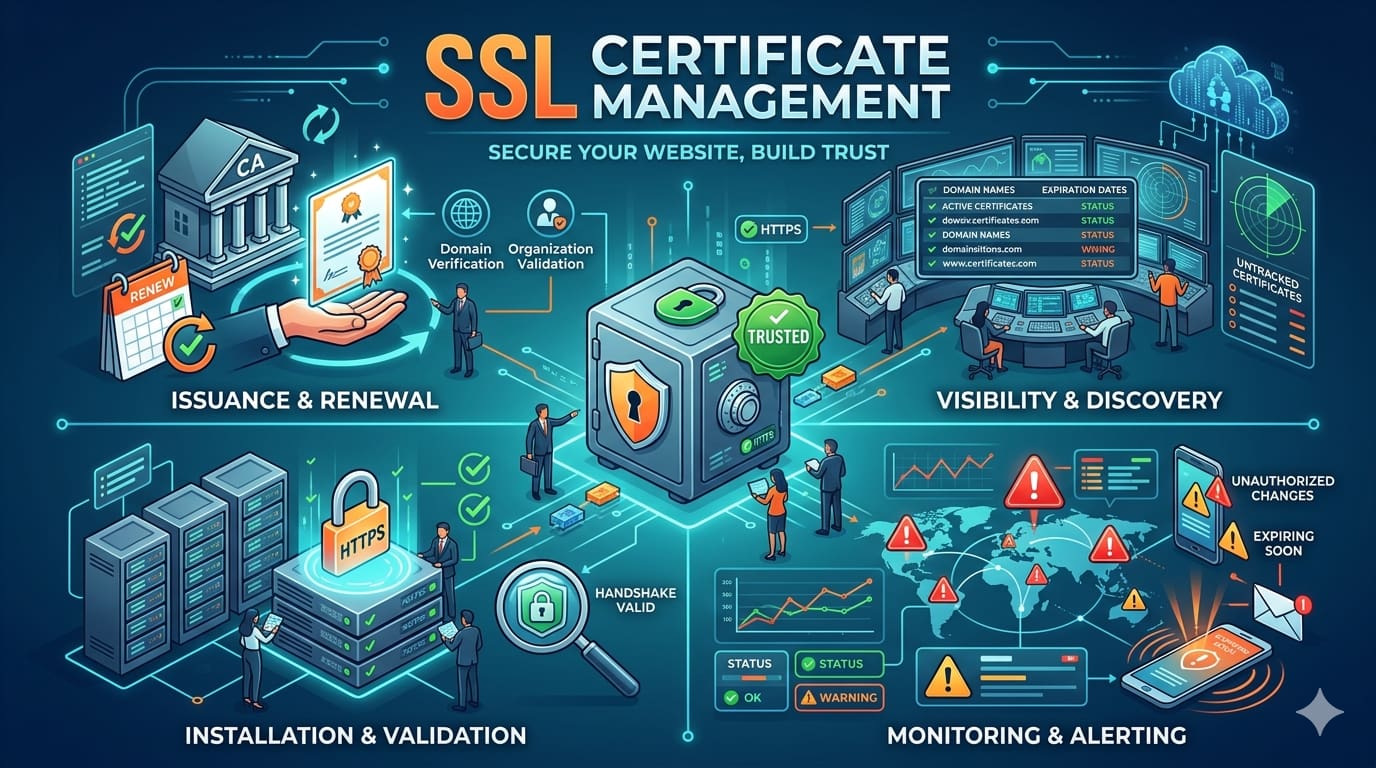
SSL seems automated until certificates expire or renewal fails silently. The hidden complexity of managing certificates at scale and why expiration isn't your only worry.
By SAS · NovaNoc
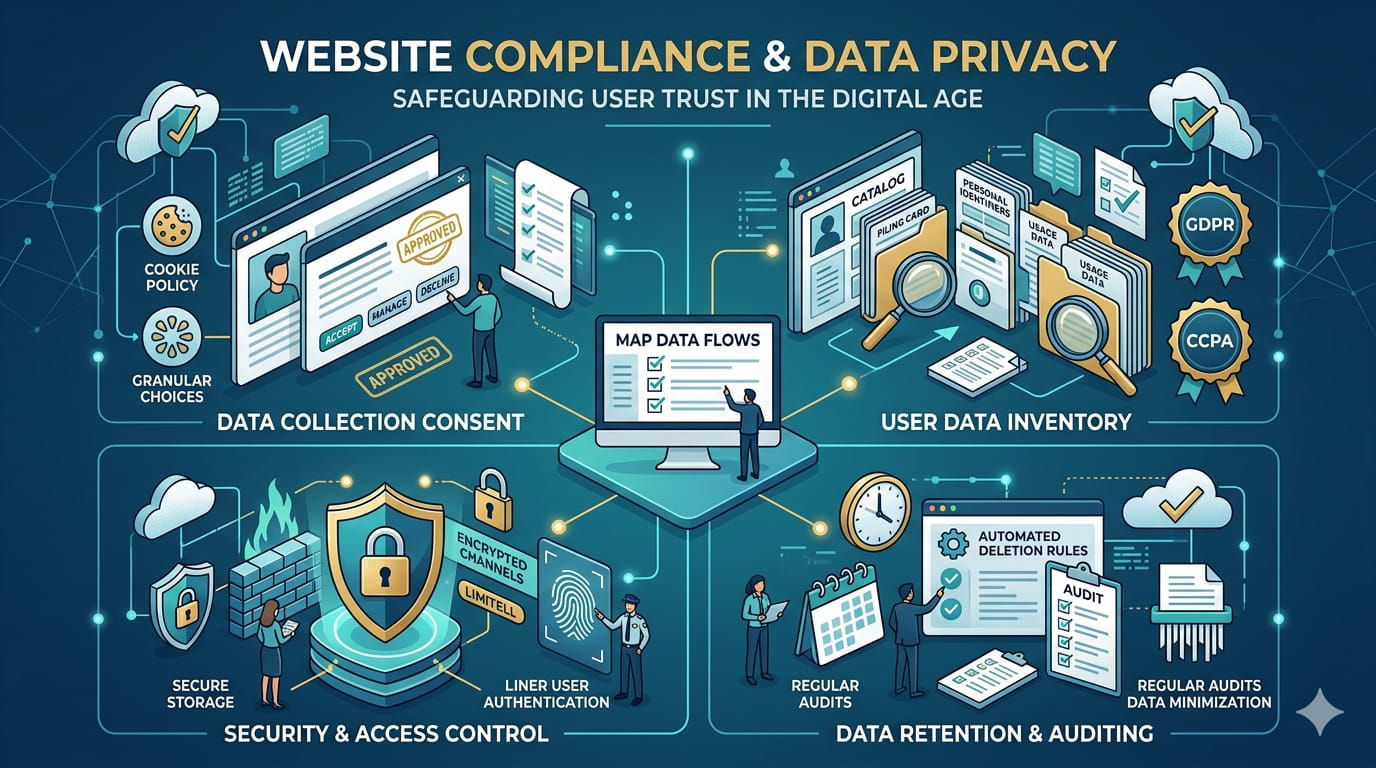
Compliance regulations are fragmenting. We explain what actually matters for your business, which rules apply to you, and where most compliance setups fail.
By SAS · NovaNoc
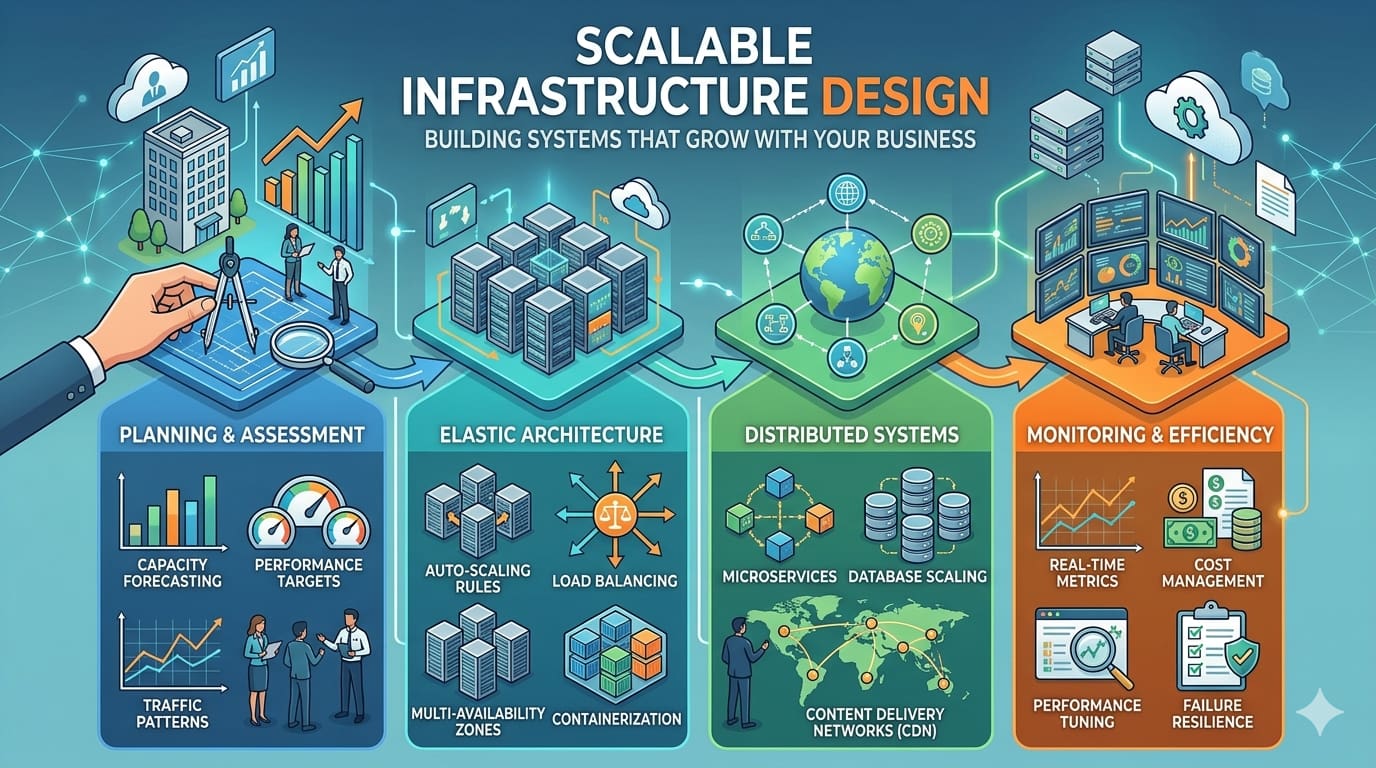
Infrastructure that works at 100 users breaks at 1000. We explain why growth causes unexpected failures and what architects miss during planning.
By SAS · NovaNoc
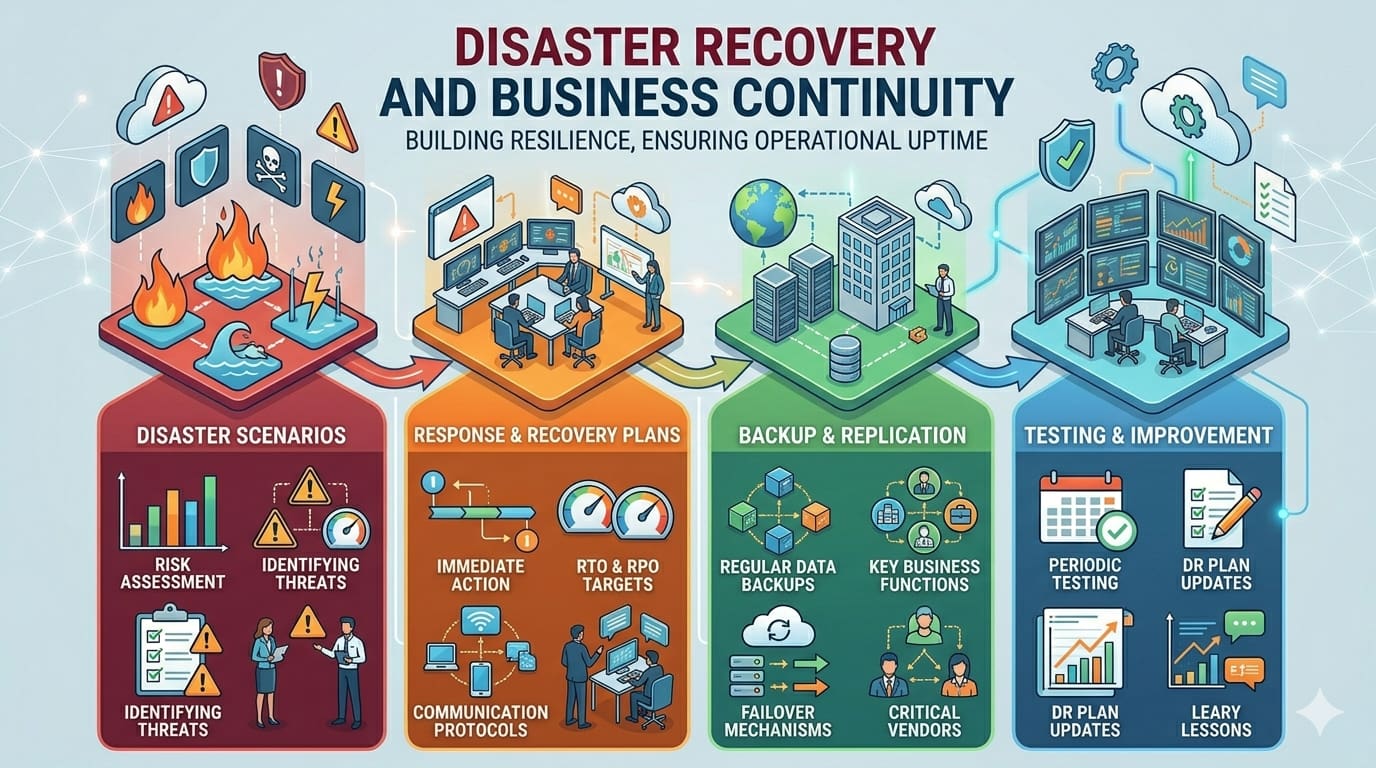
Every business thinks they have a backup strategy until disaster strikes. We explain the gap between "we have backups" and "we can actually recover."
By SAS · NovaNoc
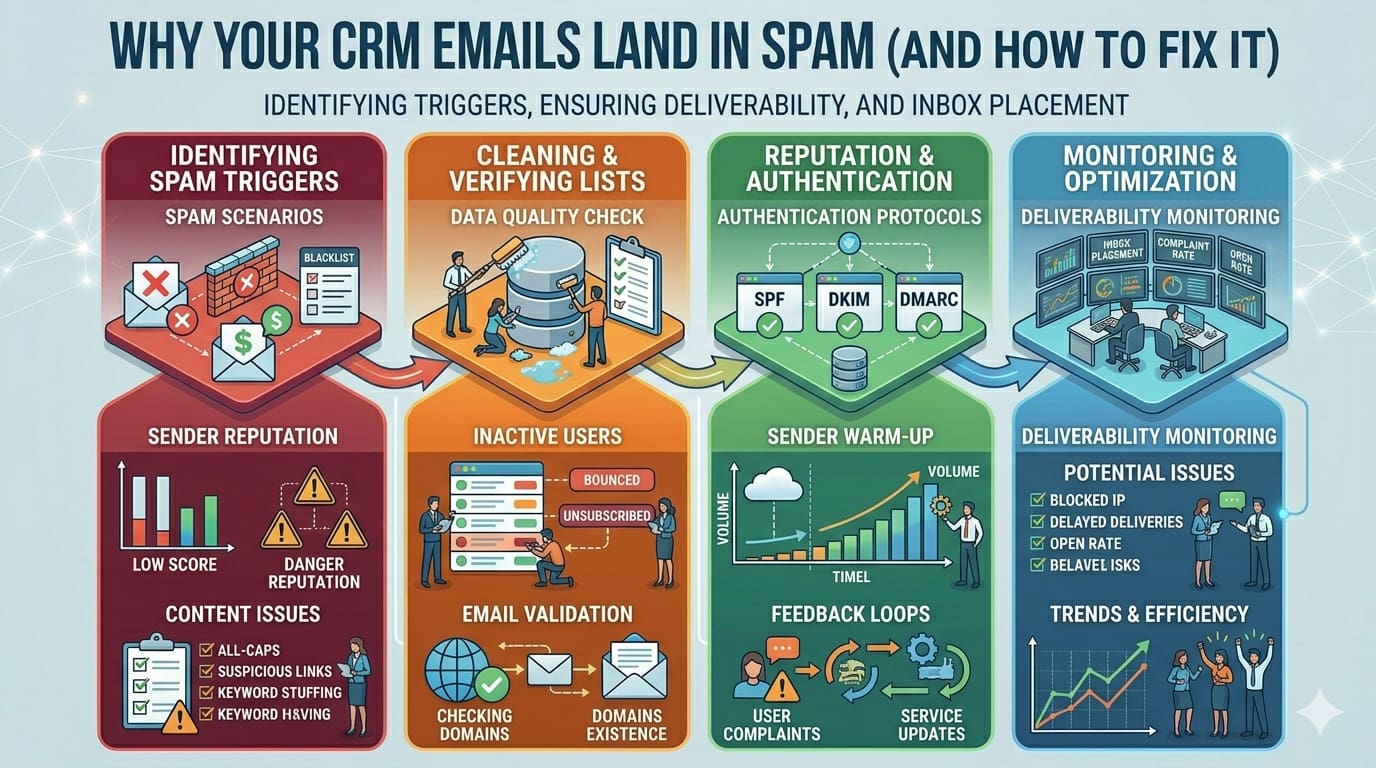
Your CRM sends automated emails to leads. Half land in spam. ISPs see bulk automated email and filter it aggressively. We explain why and how to fix your sender reputation permanently.
By SAS · NovaNoc
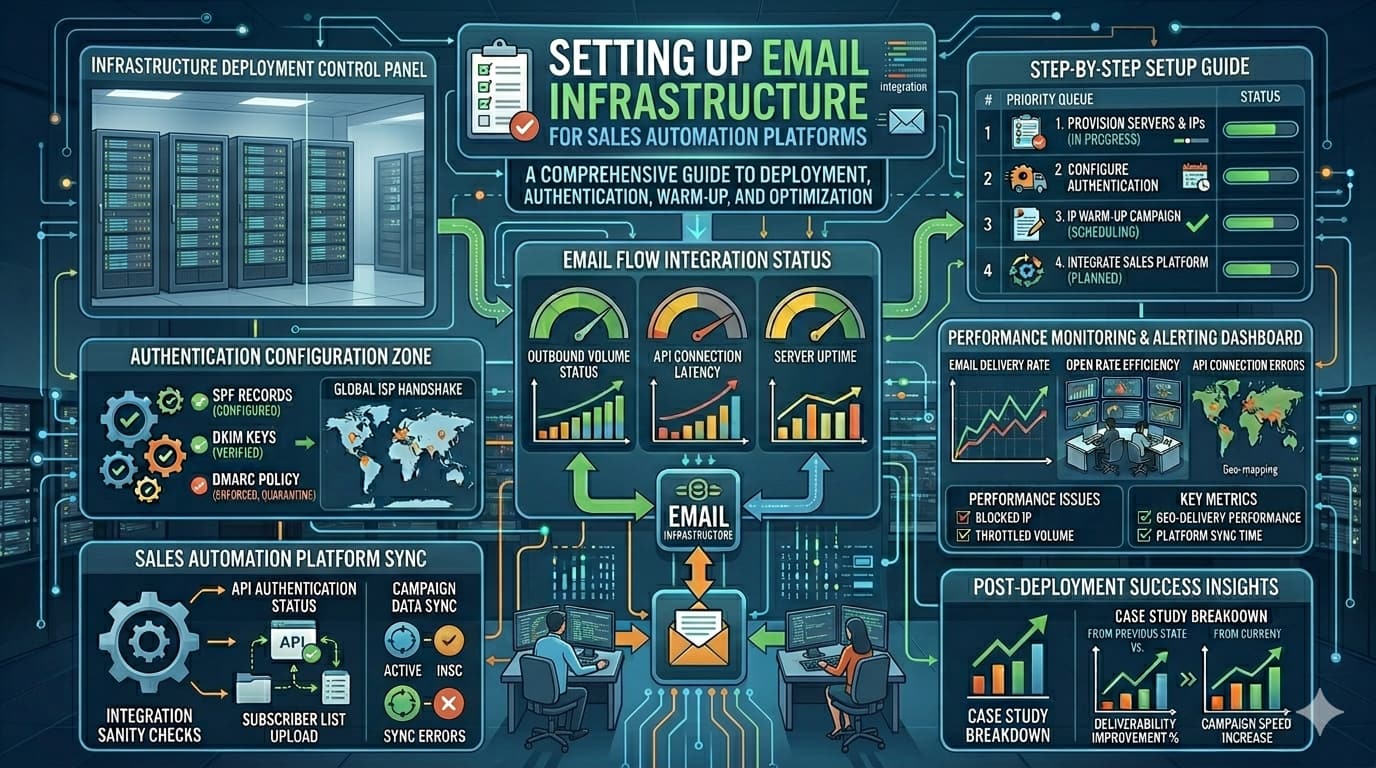
Sales teams use automation to send personalized outreach at scale. The foundation that makes this work — and prevents your entire automation from failing — is email infrastructure setup.
By SAS · NovaNoc
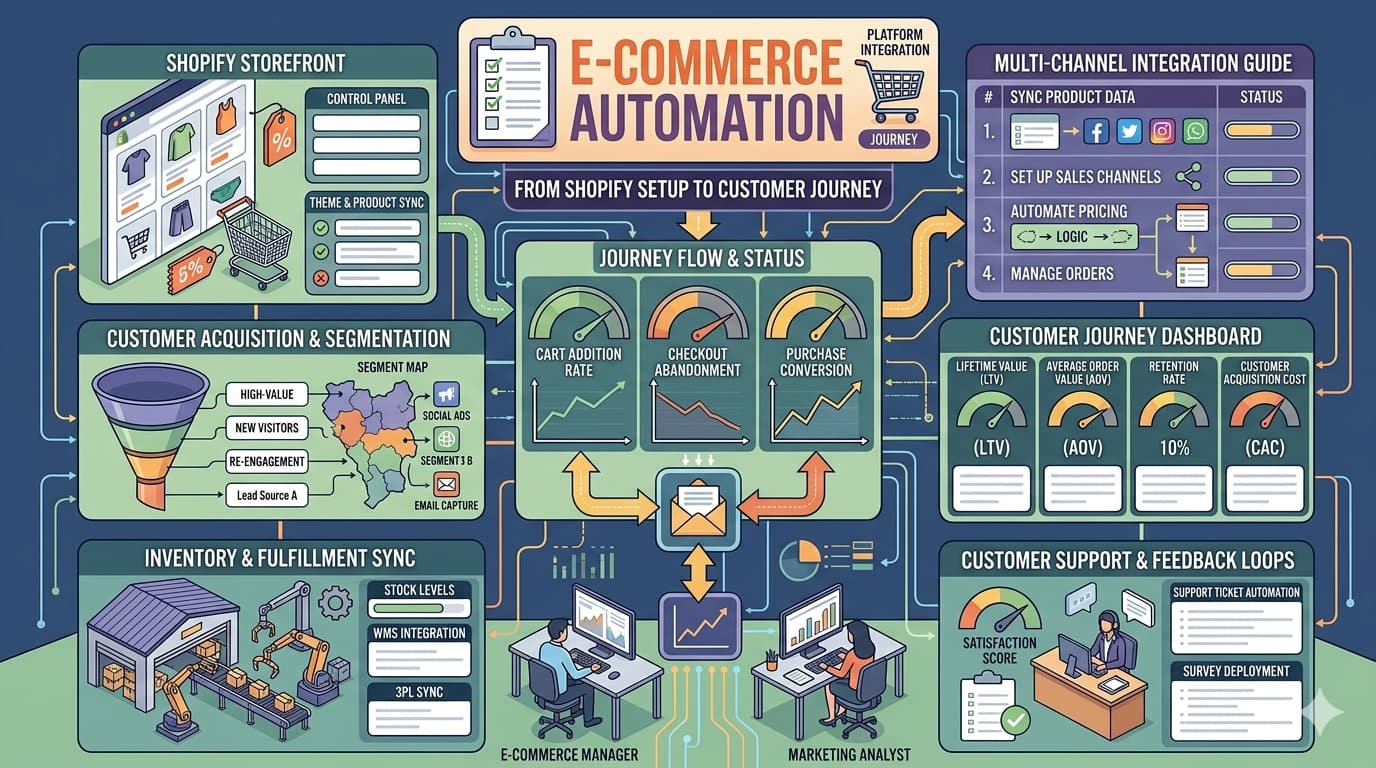
Your Shopify store sends order confirmations, shipping updates, and promotional emails automatically. That automation only works if infrastructure is bulletproof. We explain the full stack.
By SAS · NovaNoc
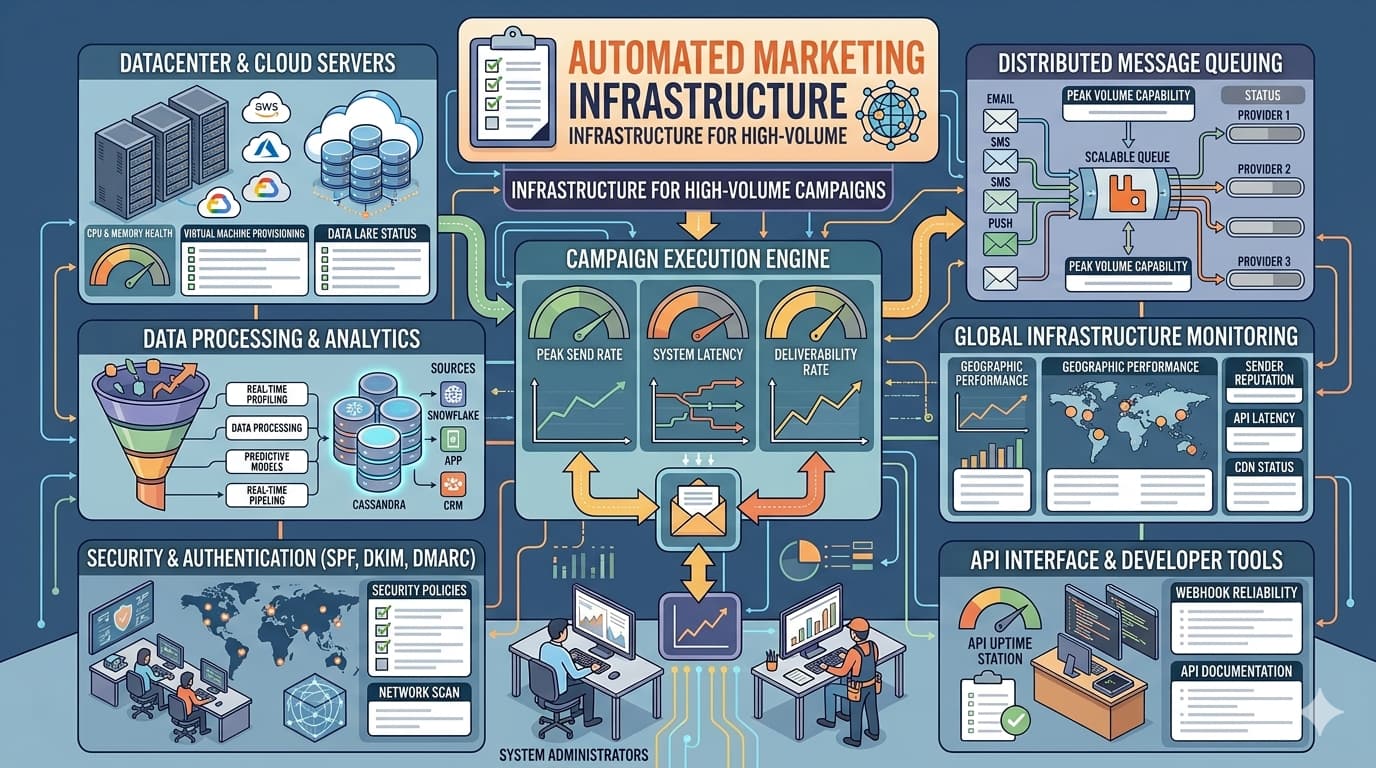
Sending 10,000+ automated marketing emails daily requires infrastructure most businesses don't have. We explain DNS, authentication, sender reputation, and scaling for marketing platforms.
By SAS · NovaNoc

You implement a CRM and expect it to work. But CRM automation depends completely on infrastructure most companies never configure properly. Here's what actually needs to happen.
By SAS · NovaNoc

Your automation tools collect customer data — emails, behavior, transactions. That data lives somewhere and must comply with GDPR, CCPA, and other regulations. We explain what actually matters.
By SAS · NovaNoc

Modern businesses run on AI automation — CRM, marketing platforms, lead generation, customer service. But AI-powered automation only works if infrastructure supports it. Complete guide to building the stack.
By SAS · NovaNoc
The latest infrastructure news, security updates, and industry developments that matter to your business.
New authentication requirements take effect. Organizations without proper email setup will see increased rejection rates.
Security researchers discover vulnerability allowing potential DNS hijacking. Patches released. Review your configuration.
Following Google and Microsoft's lead, additional email providers mandate strict DMARC compliance. Industry shifts toward stricter standards.
Researchers tested quantum network across existing fiber optic cables using entanglement swapping, advancing toward scalable quantum communication infrastructure.
D-Wave demonstrated scalable, on-chip cryogenic control for gate-model qubits, overcoming obstacles to building commercially viable quantum computers.
Q1 2026 semiconductor sales surged 25% compared to Q4 2025, with March alone reaching $99.5 billion, up 79.2% year-over-year driven by AI and quantum demand.
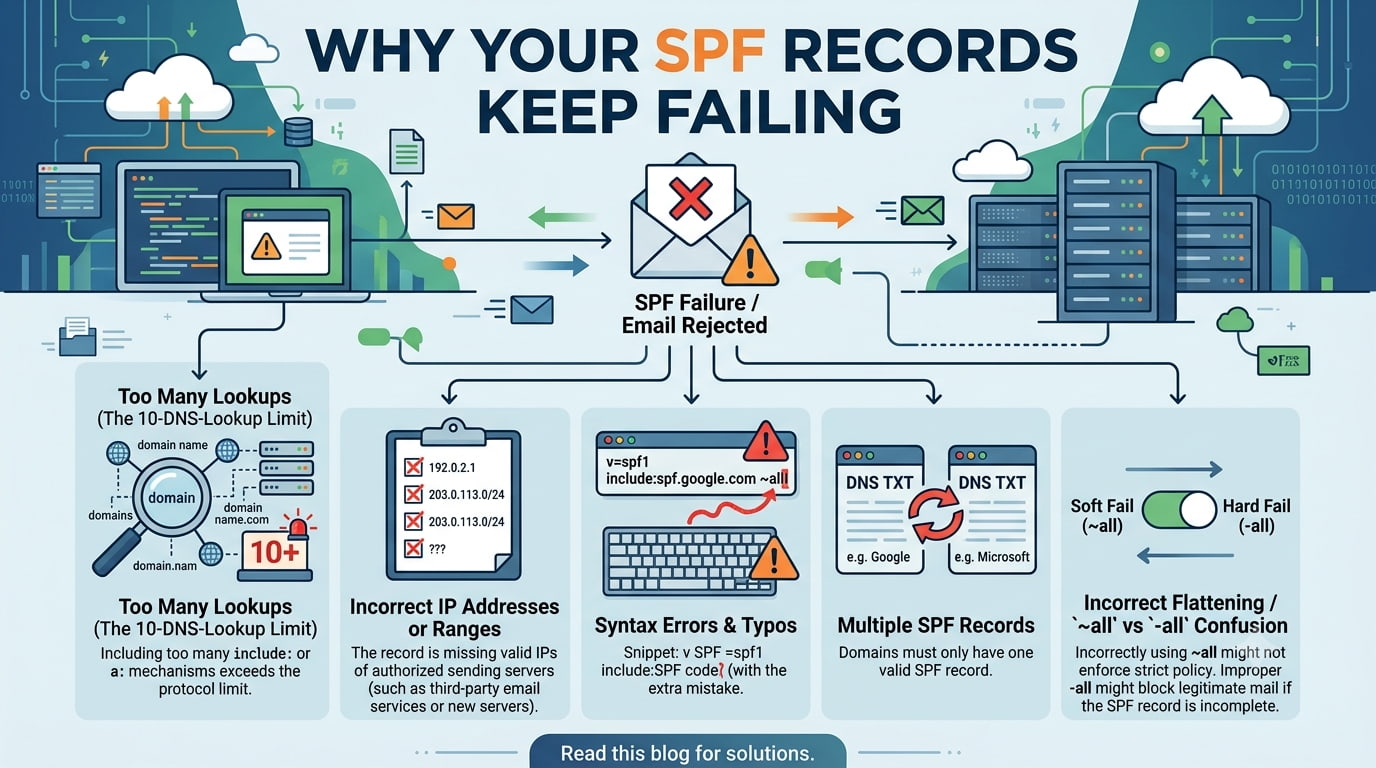
Sender Policy Framework (SPF) records are foundational to email deliverability, yet they're frequently misconfigured in ways that cause legitimate emails to fail authentication checks. Understanding why SPF fails requires understanding what it actually does and what it doesn't.
SPF works by allowing domain owners to publish a list of mail servers authorized to send emails on behalf of their domain. When a recipient's mail server receives an email claiming to be from your domain, it looks up your SPF record and checks if the sending server appears on the authorized list. If it doesn't, the email fails SPF authentication—often landing it in spam or rejecting it outright.
The most common failures stem from several sources: DNS syntax errors in the SPF record itself, incorrect server IP addresses being listed, SPF record limits (DNS allows only a finite number of DNS lookups per SPF check), and third-party service complications. Many businesses add authorized mail servers without understanding how each addition increases DNS lookup complexity. When you exceed the 10-DNS-lookup limit—a hard constraint—the entire SPF check fails, regardless of how correct the rest of your configuration is.
Another critical mistake: not including all your legitimate sending sources. If you use Google Workspace for email, a third-party email marketing service, and a customer notification system, all three must be included in your SPF record. Missing even one source causes emails from that service to fail authentication. Additionally, domain owners often forget to include their web hosting provider's mail server, creating a situation where transactional emails fail unexpectedly.
The path forward involves conducting a complete audit of your email sources, consolidating them into your SPF record efficiently, testing the configuration with diagnostic tools, and monitoring for failures. The investment in proper setup pays enormous dividends in deliverability.
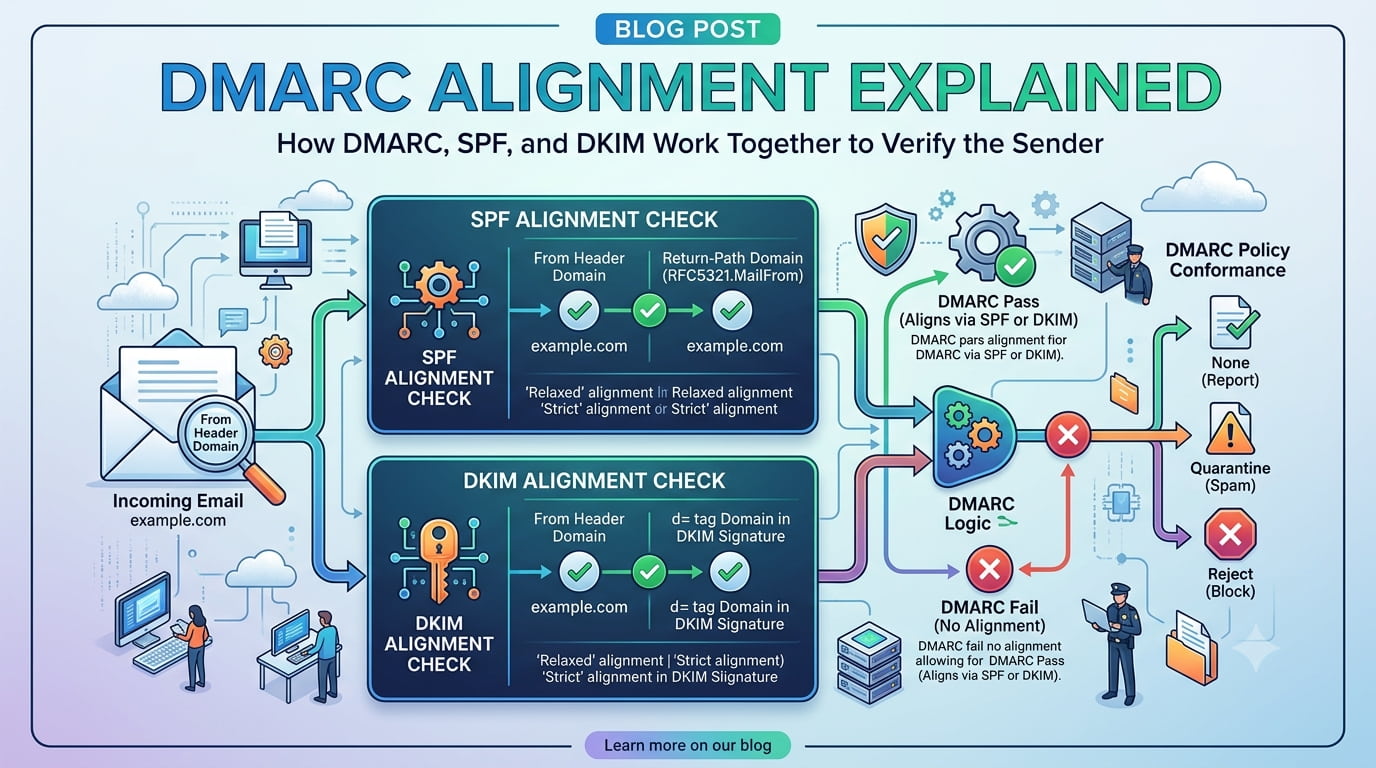
DMARC (Domain-based Message Authentication, Reporting and Conformance) is the final layer in email authentication, but it's frequently misunderstood. Many organizations implement DMARC policies without truly grasping what DMARC alignment means or why it matters. The result: emails fail authentication despite seemingly correct SPF and DKIM records.
DMARC works by checking whether emails passing SPF and DKIM authentication also demonstrate alignment—meaning the domain that authenticated the email matches the domain shown in the email's "From" address. DMARC has two alignment modes: strict alignment requires an exact match, while relaxed alignment
The common failure happens when SPF and DKIM are configured correctly, but for different domains. For example, your email might authenticate via DKIM using a server registered under mail.company.com, while your SPF record is published on company.com. From an SPF perspective, the authentication succeeds, but from a DMARC perspective, the domains don't align. The recipient's server sees this mismatch and treats the email suspiciously.
Another frequent issue involves third-party services that change the From address. When you send emails through a marketing automation platform that rewrites the From header to its own domain, DMARC alignment fails immediately. Many organizations don't realize their notification systems are doing this until deliverability mysteriously drops.
Implementing DMARC properly requires understanding your complete email ecosystem: every service sending emails on your behalf, how each one authenticates, and which domain each one uses for the From header. Once you have that map, alignment becomes straightforward. The policy you publish can then progress from monitoring (p=none) to quarantine (p=quarantine) to rejection (p=reject) as you gain confidence in your configuration.
DMARC also provides valuable reporting through aggregate and forensic reports, allowing you to see exactly which emails are passing or failing authentication and why. These reports are essential for understanding your email authentication posture and identifying problems before they damage your sender reputation.
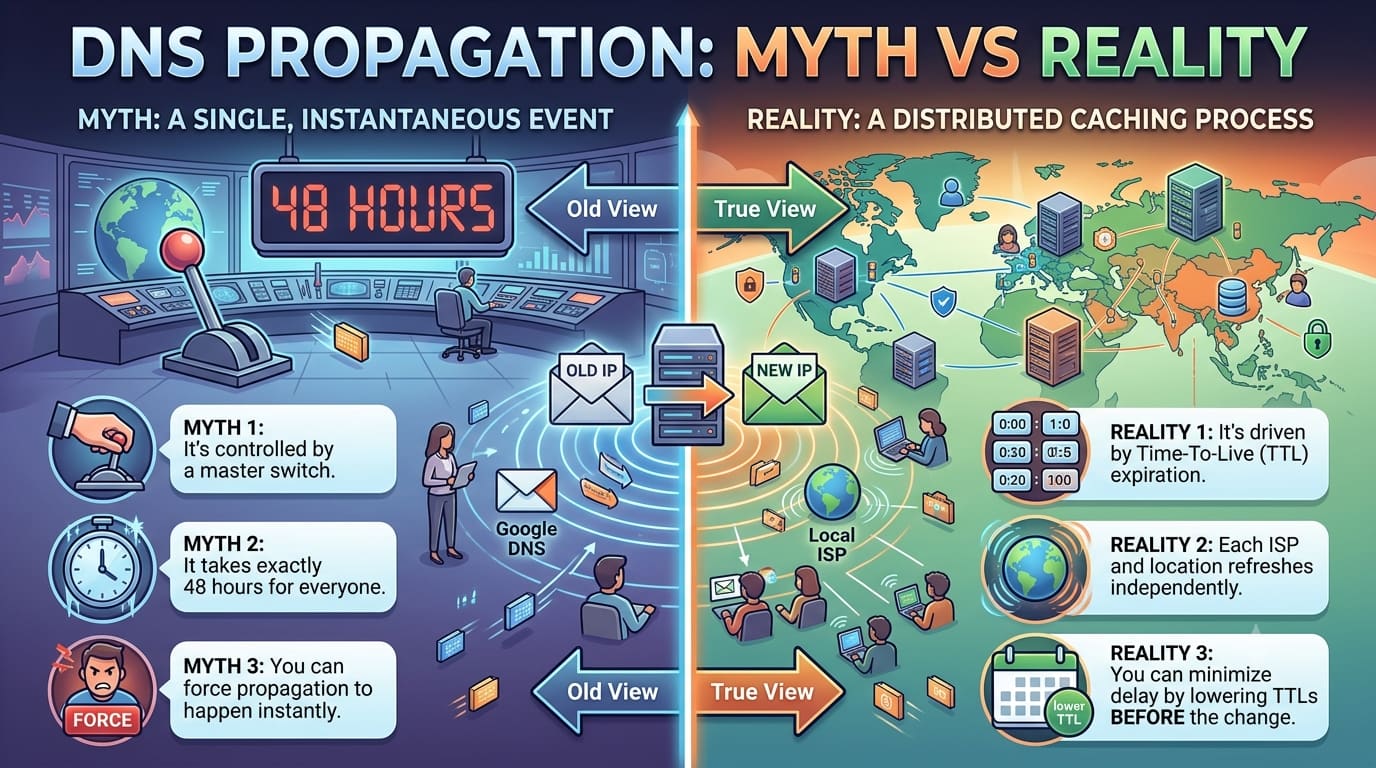
DNS propagation is one of the most misunderstood concepts in web infrastructure. The common explanation—"DNS changes take 24-48 hours to propagate globally"—is technically misleading and often causes unnecessary confusion and stress. The reality is more nuanced and, once understood, far less anxiety-inducing.
DNS propagation doesn't actually propagate in the way most people imagine. There's no global wave of DNS information spreading outward. Instead, DNS operates on a pull model: when a user visits your website or your email system checks authentication records, their local resolver queries the authoritative nameserver for your domain. That resolver caches the response for a duration specified by the TTL (Time To Live) value in your DNS record. Subsequent queries from that resolver use the cached value until the TTL expires.
So what does "propagation time" really mean? It's the maximum time it could take for all the caches in the world to expire and pull the new data. If you set a TTL of 3600 seconds (one hour), a resolver that cached your old record will continue serving it for up to one hour after your change. Different resolvers update at different times based on when they cached the record and what TTL was set. This is why changes can appear instant for some users while taking hours for others—not because propagation is "spreading" but because caches are expiring on different schedules.
This has profound implications. If you change your MX records expecting them to take effect immediately, you're probably going to be disappointed. Mail servers around the world have cached your old MX records. Some will for minutes, some for hours. During this period, some mail will route to the new server, some to the old. If the old server is still running and processing mail, users might not notice anything amiss. If you shut it down prematurely, mail bounces.
Smart infrastructure planning accounts for this. Before making DNS changes, lower the TTL on affected records 24-48 hours in advance. A reduced TTL (like 300 seconds) means caches expire faster, shortening the propagation window. Only after TTL has been reduced for sufficient time should you make the actual change. Immediately after making the change, raise the TTL back to normal to reduce DNS query load.
Another crucial detail: changing records in your registrar doesn't instantly update the internet's view of your DNS. Your registrar manages only the delegation—where the authoritative nameservers for your domain are located. The actual records live on those authoritative nameservers. Changes to nameserver addresses (the delegation) can take longer to propagate because root nameservers must be updated. Changes to records themselves (like MX records) propagate much faster because they're served by your nameserver directly.
Understanding these mechanics transforms DNS management from a mysterious black box into a system you can predict and control. Changes don't magically propagate—they cache-expire and get refreshed. Plan accordingly.
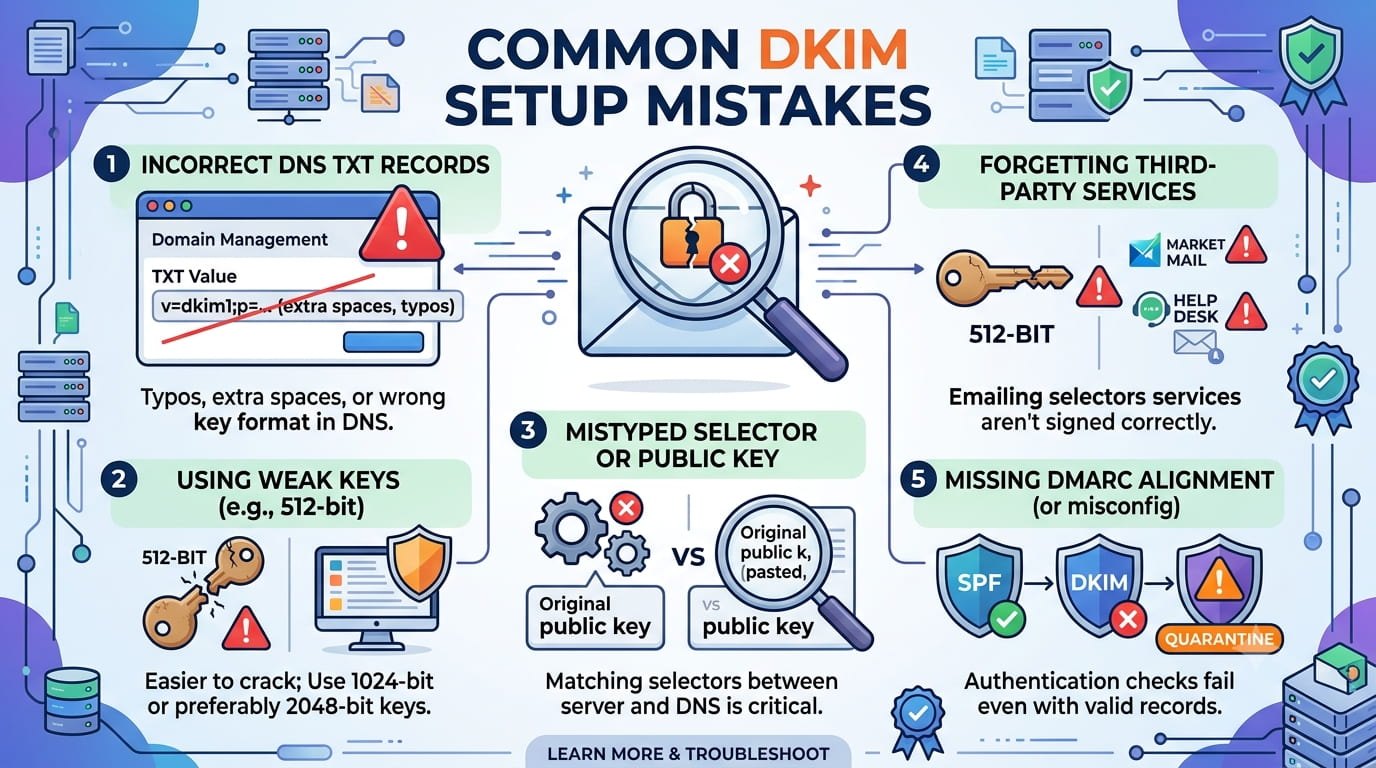
DKIM (DomainKeys Identified Mail) adds a cryptographic signature to your emails, proving they actually came from your domain and haven't been tampered with in transit. When implemented correctly, DKIM is one of the most powerful tools in your email authentication arsenal. When implemented incorrectly—and it frequently is—it can have devastating effects on deliverability without obvious symptoms.
The most catastrophic mistake is publishing the public key with incorrect formatting. DKIM public keys are long, and when copying them into your DNS record, it's easy to accidentally introduce line breaks, missing characters, or formatting inconsistencies. The recipient's mail server retrieves your public key to verify the signature. If the key is corrupted, the signature verification fails silently. The email gets flagged as unauthenticated and often discarded or heavily penalized by spam filters.
Another critical error: mismatching the selector and key. When you generate a DKIM key pair, you assign it a selector (commonly something like "default" or "google"). Your email system signs emails using the private key and specifies the selector in the signature header. Your DNS record must be published under DNS name formatted as selector._domainkey.yourdomain.com. If the selector doesn't match, the recipient's server can't find your public key and authentication fails. This mistake often goes unnoticed because the email still sends; it just fails authentication.
Many organizations generate DKIM keys but forget to actually enable signing in their email system. They publish the key in DNS, create all the infrastructure, but the mail server doesn't know to include DKIM signatures in outgoing emails. Diagnostically, this is maddening: everything looks correct in DNS, but emails still fail DKIM checks. The root cause is that no signature was ever created.
Key rotation is another area of confusion. Organizations should rotate DKIM keys periodically for security, but they often do it incorrectly. You must publish the new key before removing the old one—to ensure any emails signed with the old key during the transition period can still be verified. Immediately replacing the key breaks verification for emails in flight and causes temporary deliverability problems.
Weak key sizes are becoming problematic as well. DKIM keys should be at least 2048 bits; 1024-bit keys are increasingly rejected by major email providers. Older DKIM implementations sometimes defaulted to 1024-bit keys, which now cause authentication failures at major providers.
Finally, DKIM can fail if you're sending emails through a service that signs with its own key instead of yours. Some email providers will sign your messages with their domain's key, proving only that they sent it, not that it came from your domain. This breaks DMARC alignment and muddies your authentication picture. Always verify that your email service signs with your domain's keys, not their own.
Google and Microsoft have fundamentally shifted email authentication requirements for 2026, and organizations that haven't updated their infrastructure are already experiencing deliverability problems. These aren't optional improvements—they're mandatory changes backed by enforcement that affects millions of mailboxes worldwide.
Google announced that starting February 2024 (with full enforcement by 2026), all senders to Gmail accounts must implement SPF, DKIM, and DMARC authentication. More importantly, Google now enforces strict DMARC alignment requirements. Organizations without proper DMARC alignment will see their emails rejected or quarantined at scale. This affects every business that sends any volume of mail to Gmail addresses—which is to say, virtually every business.
Microsoft has implemented similarly strict requirements for Outlook and Microsoft 365 environments. Authentication is no longer optional infrastructure—it's a prerequisite for email delivery. Organizations that treat it as "nice to have" are experiencing undelivered emails, bouncing notifications, and lost customer communication without necessarily understanding why.
The enforcement is progressive. Some organizations see immediate impact; others see degraded deliverability without hard failures. This gray area makes diagnosis difficult. Emails might deliver to some recipients but not others, or deliver to Gmail but not Outlook. The inconsistency stems from different ISPs enforcing requirements at different strictness levels. Google enforces strictly; some smaller providers enforce loosely. This creates a fragmented landscape where you must meet the strictest requirements to ensure universal delivery.
Several specific changes are driving problems:
1. SPF policy enforcement: Weak or permissive SPF policies (those that allow many servers without proper restriction) are being penalized. ISPs expect SPF to be explicit about what's allowed, not a loose guideline.
2. DKIM key strength: 1024-bit DKIM keys are increasingly rejected. Minimum 2048-bit keys are becoming standard. Organizations with legacy infrastructure using older key sizes are being forced to upgrade.
3. DMARC policy enforcement: Moving from monitoring (p=none) to enforcement (p=quarantine or p=reject) is now expected on a timeline. ISPs are beginning to reject emails from senders not enforcing DMARC policies.
4. TLS encryption requirements: Connections between mail servers are increasingly expected to use TLS encryption. Unencrypted SMTP connections face degraded treatment or rejection.
5. Reverse DNS (PTR records): Mail servers are expected to have valid reverse DNS. Connections from IPs without proper PTR records are treated as suspicious.
These changes stem from the continuing battle against email spoofing, phishing, and spam. By enforcing stronger authentication, Google and Microsoft are making it exponentially harder for attackers to impersonate legitimate senders. The side effect is that legitimate organizations must modernize their infrastructure or lose email deliverability.
Organizations that haven't audited their email infrastructure in the past 12 months should do so immediately. Test your SPF, DKIM, and DMARC configuration. Verify key sizes. Check that your mail servers have proper reverse DNS. These aren't future concerns—they're present-day requirements for reliable email delivery.
Executive Summary: Google has announced enhanced email security requirements affecting all senders to Gmail addresses globally. These new standards represent the final phase of enforcement for authentication protocols (SPF, DKIM, DMARC) that were initially announced in 2023. The requirements become fully effective immediately, with Gmail implementing stricter filtering for non-compliant senders.
Full Summary:
Google's announcement marks the culmination of a multi-year initiative to eliminate email spoofing and phishing attacks. Organizations that have not yet achieved DMARC alignment are now experiencing significant delivery challenges when sending to Gmail accounts. The company reports that non-compliant senders face:
Google released new guidance documents helping organizations understand the exact requirements: SPF records must be published and valid, DKIM keys must be present and correctly configured, and DMARC policies must be implemented with p=quarantine or p=reject (enforcement mode, not monitoring mode). Gmail no longer accepts p=none (monitoring-only) DMARC policies; organizations must actively enforce their email authentication.
The impact extends beyond Gmail itself. Microsoft Outlook, Yahoo Mail, and other major providers are implementing similar standards in coordination with Google. The email landscape has fundamentally shifted toward mandatory authentication.
Organizations with legitimate infrastructure already in compliance see no change. Those with improper configuration face immediate operational challenges. Many enterprises discovered these failures only after noticing email delivery problems with customers and partners relying on Gmail.
Read Official Google Blog →Executive Summary: Security researchers have discovered a critical vulnerability in DNS resolver implementations affecting multiple major DNS service providers. The vulnerability allows attackers to potentially hijack DNS queries under specific conditions. Affected providers have released patches. Organizations should verify their DNS infrastructure is updated immediately.
Full Summary:
The vulnerability exists in the DNS message handling code used by several major DNS resolvers. When exploited, an attacker could intercept DNS queries and respond with malicious answers, redirecting users to attacker-controlled servers. This represents a serious threat to email authentication, web connectivity, and general network security.
The attack requires specific conditions to work: the attacker must be able to send packets to the resolver, the resolver must be misconfigured to accept queries from external sources, or the attacker must be on the same network as the victim. Organizations running closed networks with proper firewall rules are less vulnerable than those with publicly accessible resolvers.
However, even if not directly exploitable for your infrastructure, this vulnerability highlights the importance of:
Affected DNS providers released patches within 48 hours of disclosure. Organizations should verify their DNS providers have applied updates and that their own authoritative nameservers are fully patched. Domain owners should also monitor their DNS records for any unauthorized changes.
This incident reinforces that DNS security is critical infrastructure deserving the same attention as email authentication and firewall policies. Organizations neglecting DNS security updates are at increased risk of account takeovers, email redirection, and website compromise.
Read Security Advisory Council Report →Executive Summary: Following Google and Microsoft's lead, additional major email providers have announced mandatory DMARC alignment requirements. The email industry is converging on a single authentication standard, with enforcement becoming universal rather than platform-specific. Organizations must achieve DMARC alignment to guarantee email delivery across all major providers.
Full Summary:
The Email Security Standards Board released a coordinated statement from major ISPs confirming that DMARC alignment will be enforced universally. This represents a significant industry shift from "strongly recommended" to "mandatory." Providers making this announcement include:
DMARC alignment means that emails must pass SPF or DKIM authentication in a way that aligns with the domain shown in the email's "From" header. Emails from services that rewrite the From header without achieving proper alignment will be rejected or quarantined.
This has particular impact on organizations using third-party email services, marketing automation platforms, or notification systems. Any service sending emails on your behalf must either:
Organizations that have not reviewed their third-party email sources in the past 6 months should do so immediately. The timeline for enforcement is NOW—not a future date. Major providers are actively filtering non-compliant emails today.
The industry is moving toward a future where email authentication is as expected as HTTPS on websites. Organizations slow to adapt are at competitive disadvantage and face operational challenges delivering critical communications.
Read Full Email Security Standards Board Statement →Executive Summary: Researchers have successfully tested a three-node quantum network across existing fiber optic cables in New York City using entanglement swapping techniques. This breakthrough demonstrates the viability of quantum networks operating over real infrastructure, bringing practical quantum communication systems closer to commercial reality.
Full Summary:
The quantum network test represents a significant milestone in quantum communication technology. Researchers connected three quantum nodes using standard fiber optic cables already present in the NYC infrastructure, proving that quantum networks don't require entirely new physical infrastructure. The test utilized entanglement swapping—a technique that extends quantum connections across multiple nodes by creating new entangled pairs between distant nodes.
Previous quantum network demonstrations typically operated over dedicated, short-distance connections in controlled laboratory environments. This test's use of existing commercial fiber infrastructure demonstrates scalability potential. The researchers successfully transmitted quantum states between non-adjacent nodes through intermediate quantum repeaters, a critical requirement for practical quantum networks.
Key achievements in this demonstration include:
The implications extend beyond quantum computing. Quantum networks enable quantum internet protocols, quantum key distribution that's theoretically unbreakable, and distributed quantum computing applications. Companies and research institutions are beginning to plan quantum network deployment as fundamental infrastructure alongside classical networks.
Read Full Science Daily Report →Executive Summary: D-Wave announced a major breakthrough in quantum computing technology: scalable, on-chip cryogenic control for gate-model qubits. This achievement addresses one of quantum computing's most significant obstacles—the massive infrastructure requirements for maintaining quantum states—potentially unlocking commercially viable quantum computers at scale.
Full Summary:
Building quantum computers has historically required enormous cryogenic systems and control infrastructure. D-Wave's breakthrough involves integrating control electronics directly on-chip at cryogenic temperatures, dramatically reducing the external infrastructure required. This represents the first commercially viable path to scaling gate-model quantum systems beyond laboratory demonstrations.
Previous quantum computer designs required separate rooms of control equipment maintained at near absolute-zero temperatures, with quantum chips themselves in separate cryogenic chambers. This architecture creates bottlenecks in scalability and dramatically increases operational costs. D-Wave's approach integrates the control layer directly with the quantum processing layer, eliminating the bottleneck.
The breakthrough's significance lies in:
Industry observers view this as the first genuine step toward quantum computing becoming a practical technology beyond specialized applications. Companies developing quantum software and applications have been waiting for hardware breakthroughs that enable economical scaling. D-Wave's announcement suggests that window is opening.
Read Full Fast Company Article →Executive Summary: Global semiconductor sales reached $298.5 billion in Q1 2026, representing a 25% increase compared to Q4 2025. March 2026 alone achieved $99.5 billion in chip sales, up 79.2% year-over-year, driven primarily by exponential demand from AI and quantum computing sectors.
Full Summary:
The Semiconductor Industry Association released its comprehensive Q1 2026 market analysis showing unprecedented growth in the chip sector. The surge reverses the cautious outlook from late 2025 and indicates strong enterprise and commercial demand for semiconductors despite broader economic concerns. The primary growth drivers are unmistakable:
March's 79.2% year-over-year growth represents the strongest monthly performance in the semiconductor industry's history. The spike reflects multiple converging factors: completion of AI infrastructure buildouts begun in late 2025, new quantum computing shipments entering production, and government incentives for domestic semiconductor manufacturing in multiple countries.
Notably, traditional consumer electronics—smartphones, laptops, consumer IoT—represent a smaller share of growth than in previous years. Enterprise and industrial applications now dominate demand. This shift indicates a structural change in chip market dynamics, with business infrastructure needs driving semiconductor economics rather than consumer device refresh cycles.
Manufacturers report order books extending 18+ months into the future, with capacity constraints becoming the limiting factor on supply rather than demand. Industry analysts predict continued growth through 2026 as AI deployment reaches maturity and quantum systems move toward commercial applications.
Read Full Semiconductor Industry Association Report →Most businesses don't realize ISPs have different expectations. We break down what actually matters to Gmail, Outlook, and Yahoo — and why your setup might be silently failing without you knowing it.
Each major ISP operates with its own requirements, enforcement timelines, and severity levels. Gmail has the strictest standards globally. Outlook enforces rigorously for enterprise customers but lighter for consumer accounts. Yahoo Mail has specific requirements around sender reputation tracking. Smaller ISPs range from nearly zero enforcement to duplicating Gmail's standards.
The problem: you must meet the strictest requirements to guarantee delivery to all recipients. If Gmail requires strict DMARC alignment and you're not implementing it, you'll lose Gmail delivery. But you might not notice immediately—emails might hit spam folders instead of being rejected outright. By the time you realize something's wrong, you've already lost critical customer communications.
Gmail's Evolution: Gmail has progressed from recommendations to enforcement to mandatory-with-no-exceptions. The progression: 2023 asked organizations to implement authentication. 2024 warned non-compliant senders. 2025-2026 rejects non-compliant mail. Organizations following Google's 2023 recommendations are fine; those that didn't are now in crisis.
Outlook's Dual Requirements: Microsoft maintains separate standards for different sending contexts. Bulk senders have stricter requirements than internal organizational mail. APIs for sending through Microsoft 365 have different requirements than SMTP delivery. Organizations using Microsoft services without understanding these distinctions face unexpected failures.
Yahoo Mail's Sender Reputation: Yahoo places unusual emphasis on sender reputation and feedback loop participation. Even properly configured mail from poor-reputation senders gets filtered. Yahoo requires active participation in feedback loops and maintains stricter spam filtering algorithms than other providers.
Best practice: Test delivery against all major ISPs. Configure to Gmail's strictest standards. Assume those standards will become universal. Monitor deliverability metrics across all providers. Organizations aligned with Gmail requirements see universal delivery; those only meeting minimum standards see fragmented results.
Slow DNS responses cost you users and revenue. Most businesses don't measure their DNS performance — and don't realize how much it affects everything else on their infrastructure.
DNS is foundational to every internet request. When a user types your domain into a browser, the DNS lookup is the first step. If that lookup takes 500ms instead of 50ms, the entire page load stalls. You've lost user attention before content even begins loading. Multiply this across millions of requests, and slow DNS becomes a hidden revenue drain.
Performance varies wildly depending on where your DNS is hosted. Some providers maintain globally distributed DNS infrastructure with response times under 20ms worldwide. Others operate from limited points of presence, creating geographic black holes where responses take 200-400ms. Your choice of DNS provider affects every transaction on your domain.
Measuring DNS Performance: Most organizations have no idea how fast their DNS is. They delegate to a provider and assume it works. Proper monitoring requires measuring query response times from multiple geographic locations, tracking query success rates, and monitoring for timeouts. Tools like DNS benchmarking services reveal performance characteristics you don't see in normal operation.
The Hidden Cascade: Slow DNS doesn't just slow down website loads. It cascades through your entire infrastructure. Email authentication lookups (SPF, DKIM, DMARC) require DNS queries. Slow DNS makes email authentication timeouts more likely, reducing deliverability. API calls dependent on DNS resolution slow down. Database connections over DNS-resolved hostnames lag. A seemingly small DNS delay becomes a system-wide performance penalty.
Optimization Strategies: Geographic distribution of DNS servers, query caching at ISP resolvers, and proper TTL configuration all improve performance. Organizations seeing DNS performance problems should evaluate geographically distributed DNS services. The investment in premium DNS services often pays back immediately through improved user experience and reduced abandoned transactions.
Domain portfolios get messy fast. We explain where configuration drift happens, what breaks silently, and why consolidation is harder than it looks.
Organizations with single domains handle email, DNS, and authentication cleanly. Organizations with 5+ domains face exponential complexity. Each domain needs its own SPF, DKIM, and DMARC configuration. Each domain's DNS records must be maintained separately. Each subdomain potentially needs its own authentication setup. Managing dozens of configurations manually becomes impossible.
Configuration drift is inevitable. One domain gets updated to new authentication standards while others don't. Some domains use one email provider, others use different services. Subdomains are configured differently from parent domains due to historical reasons. Over time, your domain portfolio becomes inconsistent in ways that are difficult to audit and dangerous when failures occur.
Silent Failures in Complex Domains: The worst failures are those you don't notice. A subdomain's email might silently be delivering to spam folders while your main domain delivers normally. You're losing emails from that subdomain without realizing it. DNS changes to one subdomain might inadvertently affect others if wildcard records are improperly configured.
The Consolidation Challenge: Consolidating multiple domains onto unified infrastructure seems logical but is deceptively complex. DMARC alignment across multiple domains requires careful policy configuration. Migrating email from separate providers onto unified infrastructure risks downtime. DNS migrations with multiple domains must be orchestrated carefully to avoid resolution failures.
Best Practice Approach: Implement centralized domain management and DNS hosting. Use services that allow bulk configuration and monitoring of multiple domains from a single dashboard. Establish a consistent configuration standard across all domains, then audit for drift quarterly. For critical domains, implement monitoring that alerts you to deliverability problems or DNS anomalies automatically.
Faster websites seem obvious — until you implement a CDN and things break in unexpected ways. We explain cache conflicts, geographic edge cases, and optimization tradeoffs.
Content Delivery Networks (CDNs) work by distributing your content to servers worldwide, serving each user from the geographically closest location. In theory, this delivers content faster. In practice, CDNs introduce complexity that many organizations underestimate.
Cache Conflicts and Stale Content: CDNs cache your content at edge locations. This is fast but creates potential for stale data. How long should content be cached? Static assets (images, CSS) can cache forever. Dynamic content (product prices, availability) must update immediately. Setting inappropriate cache TTLs causes users to see outdated information. Setting TTLs too short eliminates CDN benefits. Finding the right balance requires understanding your content types and update frequencies.
Geographic Edge Cases: CDNs distribute servers globally, but distribution is uneven. Some regions have excellent coverage; others have sparse presence. Users in areas far from CDN nodes might see worse performance than direct delivery. Geographic routing can misdirect traffic to inappropriate edge locations. Organizations must audit geographic performance, not just average performance, to ensure quality delivery worldwide.
HTTPS and Certificate Management: CDNs terminate HTTPS connections at edge locations, then establish new connections to your origin servers. This requires certificates at both the CDN edge and your origin. Managing multiple certificates across CDN nodes and origins becomes complex. Certificate expiration at one location causes service failures. Organizations must automate certificate renewal across entire CDN infrastructure.
DNS Complexity: Implementing a CDN changes your DNS pointing. Your domain now points to CDN nameservers, which route traffic based on geography and load. If the CDN's routing logic fails, your entire site becomes inaccessible. CDN DNS failures are among the most visible, most damaging infrastructure failures because they're complete outages with no graceful degradation.
Cost Overruns: CDNs charge based on data transfer. Misconfigured caching that invalidates frequently causes more data transfer than uncached delivery. Origin shield failures increase edge-to-origin traffic, multiplying costs. Organizations discover unexpected CDN charges after deploying without understanding pricing implications.
CDN Selection and Optimization: Choose CDNs with strong coverage in your user geographic regions. Understand pricing models before committing. Implement proper cache control headers on all content. Monitor performance across regions continuously. Many CDN failures result from organizations treating CDN configuration as "set and forget" when it requires ongoing optimization and monitoring.
SSL seems automated until certificates expire or renewal fails silently. The hidden complexity of managing certificates at scale and why expiration isn't your only worry.
Modern certificate management looks automated: services like Let's Encrypt provide free certificates that auto-renew. For single websites, this works. For organizations with dozens of domains and subdomains, automation creates false confidence. Certificates that should auto-renew sometimes don't. Renewal notifications get lost in email. Before you know it, a certificate expires and your site becomes inaccessible.
The Renewal Failure Cascade: Let's Encrypt and other services send renewal reminders. If your email isn't properly monitored, those reminders disappear. The renewal process requires DNS validation, which fails silently if DNS configuration changes between renewal cycles. Some organizations discover certificate expiration only when users report "website not secure" warnings. By then, damage to user trust is already done.
Wildcard Certificates and Subdomains: Managing certificates for www.example.com, api.example.com, mail.example.com, and dozens of other subdomains becomes complicated. Wildcard certificates (*.example.com) cover all subdomains, which seems simpler. But wildcard certificates have their own edge cases: they don't cover the bare domain, require specific DNS setup, and might have stricter validation requirements than single-domain certificates.
Multi-Domain Certificates (SANs): Subject Alternative Name (SAN) certificates cover multiple domains in a single certificate. Managing which domains are covered, updating SANs when adding new domains, and validating all domains during renewal adds complexity that most organizations underestimate.
Certificate Pinning and Deployment: Organizations that use certificate pinning (hardcoding specific certificate details in applications) create dangerous scenarios. If that certificate isn't successfully renewed, or if renewal produces a certificate with unexpectedly different details, applications fail to connect. Certificate pinning is a powerful security technique that becomes a liability if not carefully managed.
Certificate Monitoring Best Practice: Implement centralized certificate management and monitoring. Use services that aggregate certificates from all your domains and provide unified visibility. Set up alerts at 60, 30, and 7 days before expiration. Monitor both domains and subdomains. Test renewal processes regularly to ensure they work when renewal actually occurs. Treat certificate management as critical infrastructure deserving the same attention as firewall rules and security patches.
Compliance regulations are fragmenting. We explain what actually matters for your business, which rules apply to you, and where most compliance setups fail.
The regulatory landscape for data privacy has exploded. GDPR applies to European data. CCPA applies to California residents. State-by-state privacy laws are emerging. Industry-specific regulations (HIPAA for healthcare, PCI-DSS for payments) add their own requirements. Organizations serving international customers face compliance obligations across multiple jurisdictions with incompatible requirements.
The Key Concept: Jurisdiction Matters If you process data from EU residents, GDPR applies regardless of where your business is located. If you collect data from California residents, CCPA applies. If you handle healthcare data, HIPAA applies. If you process payments, PCI-DSS applies. Compliance obligations are determined by your data subjects and data types, not your location.
GDPR's Stricter Standard: GDPR is the most comprehensive privacy regulation globally. Organizations compliant with GDPR are compliant with most other regulations. GDPR requires: explicit consent before collecting data, right to access collected data, right to deletion, right to data portability, and mandatory breach notification. GDPR violations carry fines up to 4% of global revenue—a serious penalty that motivates compliance.
Common Compliance Failures: Organizations implement privacy policies without actually enforcing them. Websites collect more data than their policies say. Data retention policies aren't actually followed. Deletion requests aren't fulfilled. Consent forms don't actually request consent—they just inform. Technical controls don't match policy commitments. These failures are discovered during audits or following data breaches.
The Technical Layer: Compliance isn't just legal documents—it requires technical controls. Data must be encrypted at rest and in transit. Access controls must restrict who can view data. Audit logs must track data access. Deletion processes must permanently remove data. Backup systems must respect deletion requests. Organizations with poor technical controls cannot be compliant regardless of policy language.
Compliance as Ongoing Process: Compliance isn't something you achieve once. Regulations evolve. Your business operations change. Third-party services you use might change. Compliance requires continuous monitoring, regular audits, and updates as regulations and business practices evolve. Organizations treating compliance as a one-time project are continuously falling out of compliance.
Infrastructure that works at 100 users breaks at 1000. We explain why growth causes unexpected failures and what architects miss during planning.
Young organizations often start with infrastructure designed for their current scale. Single servers, simple databases, basic networking. When the business is small, this works fine. As the business grows, assumptions made during initial design fail catastrophically. The single server runs out of capacity. The database becomes a bottleneck. Network connectivity becomes the limiting factor. Unexpected failures emerge from optimizations that worked at small scale but fail at large scale.
The Database Scaling Problem: Relational databases work perfectly until they don't. A database that's fast with 100,000 rows becomes slow with 10 million rows. Queries that completed in milliseconds now take seconds. Indexes that worked for small data sets stop working. Database replication, which seems automatic, becomes a complex art when real throughput is involved. Organizations discover too late that their database design isn't scalable.
Caching Assumptions: Small systems don't need caching—queries are fast enough. Large systems require aggressive caching or they collapse under load. But caching creates complexity: cache invalidation, cache consistency, cache failures. Organizations that design without caching must retrofit caching, which means discovering all the places where caching matters and adding it selectively. This is disruptive and difficult.
Network Capacity: Architects often assume network capacity is unlimited. A single network connection is fast enough for development. In production with thousands of concurrent users, that connection saturates. Organizations discover network capacity too late—after purchasing expensive network equipment and realizing the bottleneck was elsewhere.
Session Management at Scale: Storing sessions in local application memory works with one server. With multiple servers, you need distributed session storage. Local storage becomes inconsistent across servers. Users lose sessions when load balancing routes them to different servers. Implementing distributed session storage requires complete rearchitecture of session management.
Monitoring and Observability Gaps: Small systems don't need comprehensive monitoring. Large systems cannot be managed without detailed monitoring. Organizations that design systems without monitoring cannot diagnose problems at scale. "The system is slow" becomes impossible to debug. Proper monitoring requires instrumenting every component and aggregating data across thousands of instances.
Scalability Design Principles: Design for 10x your current scale. Plan for distributed systems from the beginning. Implement monitoring before you need it. Use proven, scalable technologies rather than novel approaches. Test scaling regularly under load. Build in redundancy and failover. Make no assumptions about single points of failure. These principles prevent catastrophic failures as organizations grow.
Every business thinks they have a backup strategy until disaster strikes. We explain the gap between "we have backups" and "we can actually recover."
Organizations typically approach disaster recovery by asking: "Do we have backups?" If the answer is yes, they consider themselves protected. This is dangerously incomplete thinking. Having backups is not the same as being able to recover from disaster. Knowing whether you can actually recover requires testing recovery, documenting the process, and maintaining that capability over time.
The Untested Backup Problem: Many organizations discover their backups are worthless when they actually need them. Backups were created successfully, but the restore process was never tested. When disaster happens and you try to restore, you discover the backups are corrupted, incomplete, or incompatible with current systems. Recovery fails catastrophically.
Recovery Time Objectives (RTO) and Recovery Point Objectives (RPO): These metrics define acceptable recovery time and acceptable data loss. RTO is how long an outage can last before unacceptable business impact occurs. RPO is how much data loss is acceptable—what's the maximum amount of recent data you can afford to lose? Organizations often define these without understanding what recovery actually requires to meet them.
Backup Storage and Retention Challenges: Full backups are large and expensive to store. Many organizations use incremental backups to save space, which requires recovering multiple incremental layers—a slow, error-prone process. Backup retention creates compliance complications: how long must backups be kept? Indefinite retention becomes expensive. Organizations often discover they've deleted backups they needed or kept backups that violate privacy regulations.
Geo-Redundancy vs. Local Backups: Local backups protect against data loss but not against data center destruction. Geo-redundant backups protect against catastrophic data center failures but cost more and create synchronization challenges. Most organizations choose local-only backups, then discover during an actual disaster that their data center is completely inaccessible.
The Runbook Problem: Disaster recovery requires detailed, tested procedures documenting every step of recovery. Runbooks must be current, accessible, and proven to work. Many organizations have outdated runbooks that don't match current systems. When disaster happens and you're executing a runbook under stress, outdated information causes mistakes that extend recovery time.
The Cultural Factor: Disaster recovery requires discipline. Backups must be tested regularly—quarterly minimum. Documentation must be maintained as systems change. Runbooks must be practiced. This discipline is easy to neglect during normal operations, then becomes critical during emergencies. Organizations that've neglected recovery discipline discover during actual disasters that they're unprepared.
Recovery Best Practices: Establish clear RTO/RPO objectives aligned with business requirements. Implement automated, tested backups stored geographically separately from production. Practice recovery quarterly under realistic conditions. Maintain current runbooks and train team members on recovery procedures. Treat disaster recovery as an investment in business continuity, not an optional nice-to-have.
Your CRM sends automated emails to leads. Half land in spam. You've configured everything correctly, but ISPs see bulk automated email and filter it aggressively. This happens to 80% of companies using CRM automation without proper infrastructure.
CRM systems (HubSpot, Salesforce, Pipedrive, etc.) send emails at scale. Each email goes to leads your sales team is tracking. ISPs can't distinguish between your legitimate business automation and spam bots sending millions of unwanted messages. The solution requires understanding sender reputation, email authentication, and ISP filtering algorithms.
The Sender Reputation Problem: Every IP address sending email develops a reputation. ISPs track complaints, bounce rates, and user engagement. If your CRM's sending infrastructure has poor reputation, all your emails get filtered. Even if you're sending legitimate messages, a bad sender IP ruins deliverability for everyone on that IP. This is why managed CRM services often have deliverability problems—they share sending infrastructure with thousands of other companies.
Authentication is Mandatory: Gmail, Outlook, and Yahoo now require SPF, DKIM, and DMARC authentication for bulk senders. Without proper authentication setup, CRM emails are immediately marked as suspicious. Organizations implementing CRM automation without configuring email authentication see immediate failures. Authentication proves to ISPs that you authorized that email to be sent from your domain.
Volume Matters: A CRM sending 100 emails/day has different requirements than one sending 10,000/day. High-volume senders need dedicated sending infrastructure, gradual IP warming-up, engagement monitoring, and list segmentation. Organizations scaling their CRM automation without adjusting infrastructure hit deliverability walls suddenly and catastrophically.
The Solution: Proper email infrastructure setup for CRM automation includes: authentication configuration, sender reputation monitoring, list hygiene practices, engagement tracking, and ISP feedback loop participation. Organizations implementing these see 95%+ deliverability rates. Those that don't see 50% of emails landing in spam or being rejected entirely.
CRM success depends entirely on email reaching inboxes. Without proper infrastructure, your CRM becomes an expensive tool that doesn't work.
Sales teams use automation platforms to send personalized outreach at scale. The foundation that makes this work—and prevents your entire automation from failing—is email infrastructure setup that most teams never properly configure.
Sales automation platforms like Apollo.io, Outreach, Salesloft, and similar tools send emails on behalf of your sales team. These tools connect to your email account and use your domain to send outreach. If that domain's email infrastructure isn't properly configured, the entire operation fails silently. Emails bounce, land in spam, or are rejected by ISPs before reaching prospects.
Custom Domain vs. Tool-Provided Domains: Sales automation tools offer two options: send from their shared domains, or send from your own domain. Sending from tool domains means zero control over sender reputation—other users' poor practices damage your deliverability. Sending from your domain requires proper infrastructure setup but gives you reputation control. High-performing sales teams always use their own domains.
DKIM Signing Configuration: Sales automation tools need DKIM keys to sign emails sent from your domain. Without DKIM, emails appear unsigned to ISPs—an immediate red flag. Configuring DKIM requires adding DNS records and managing keys. Many organizations set this up incorrectly, resulting in signing failures that cause deliverability problems.
SPF and DMARC Alignment: SPF records tell ISPs which servers are authorized to send email from your domain. DMARC policies enforce authentication requirements and tell ISPs what to do with unauthenticated emails. For sales automation, SPF must include the tool's sending servers. DMARC policy must be set to "none" initially (for monitoring), then tightened to "quarantine" or "reject" once authentication is confirmed working.
Volume and Reputation Building: Sales teams often ramp outreach volume quickly—100 emails day one, 1,000 by week two. Rapid volume increases trigger ISP spam filters automatically. Proper approach: start with low volume, monitor engagement and bounces, gradually increase volume only as reputation improves. Organizations that skip this step see entire campaigns blocked.
Monitoring and Feedback Loops: Sales automation success requires continuous monitoring of bounce rates, complaint rates, and engagement. ISP feedback loops (Gmail Postmaster Tools, Microsoft SNDS) provide visibility into how ISPs see your sending. Organizations monitoring these metrics catch deliverability problems early. Those that don't discover problems only when campaigns fail completely.
Sales automation infrastructure is invisible when working correctly, catastrophic when broken. Proper setup is non-negotiable for sales team success.
Your Shopify store sends order confirmations, shipping updates, and promotional emails automatically. That automation only works if infrastructure is bulletproof. Missed emails = lost customers, confused orders, chargebacks.
E-commerce stores depend completely on automated email. Customers can't complete orders without confirmation emails. They can't track shipments without shipping notifications. They can't reset passwords without password reset emails. Each failure is a customer experience failure that damages your reputation and reduces repeat purchases.
Shopify Email Integration Architecture: Shopify stores connect to email providers (built-in, Gmail, third-party services). Each email sent by Shopify goes through this infrastructure. If the infrastructure isn't configured correctly, emails fail silently. A customer places an order, gets no confirmation, and assumes their payment failed. They place another order. You're processing duplicate payments and managing angry customers.
Domain and DNS for Transactional Email: Shopify stores must use a custom domain for transactional emails. This requires proper DNS configuration (SPF, DKIM, DMARC). Shopify provides the records to add, but configuration often fails due to typos or misunderstanding. Misconfigured DNS means authentication failures, which means ISPs filter or reject your transactional emails.
Email Template Reputation: E-commerce emails have templates—order confirmations, shipping updates, return emails. These templates must be professional and compliant. Poorly designed emails that look like spam cause high complaint rates. High complaint rates damage sender reputation for all future emails. Template quality is infrastructure-adjacent but critical to deliverability.
Payment Notification Reliability: Payment processors (Stripe, PayPal, Square) send payment confirmation emails. If these emails fail, customers don't know their payment was received. Shopify must integrate with these systems reliably. This requires proper API configuration, webhook setup, and error handling. Organizations neglecting this integration see payment confirmation failures.
Cart Recovery and Promotional Automation: Shopify stores often use automation apps for cart recovery (email when customer abandons cart) and promotional campaigns. These automations send high volumes of emails. Without proper infrastructure and list management, these campaigns cause spam complaints and damage reputation. Proper segmentation and engagement monitoring prevent this.
Compliance and Unsubscribe Infrastructure: Marketing emails require proper unsubscribe mechanisms (CAN-SPAM, GDPR requirements). Shopify automation must include functional unsubscribe links. Organizations treating unsubscribe as optional face legal liability. Proper automation infrastructure makes compliance automatic.
E-commerce success depends on customers receiving automated emails. Infrastructure failures are business failures. Proper setup is fundamental to store operations.
Sending 10,000+ automated marketing emails daily requires infrastructure most businesses don't have. Volume amplifies every problem. Misconfiguration that fails silently at low volume becomes catastrophic at high volume.
Marketing automation platforms (HubSpot, Marketo, Klaviyo, etc.) send emails at scale. A single poorly configured setting affects thousands of emails. ISPs flag any anomalies at high volume automatically. Volume requires specialization in infrastructure setup that general services can't provide.
Dedicated vs. Shared Sending Infrastructure: Marketing automation platforms offer shared and dedicated sending infrastructure. Shared infrastructure means your emails share servers with thousands of other companies. One bad actor ruins reputation for everyone. Dedicated infrastructure means your sending IP(s) carry only your reputation. High-volume senders always need dedicated infrastructure.
IP Warming and Gradual Volume Increase: New sending IPs have zero reputation. ISPs treat them suspiciously. Proper approach: start with low volume (100 emails/day), monitor engagement and bounce rates, gradually increase volume (doubling every few days). Organizations that skip IP warming and launch high-volume campaigns immediately see immediate spam filtering and IP blacklisting.
List Quality and Segmentation: High-volume sending to poor-quality lists (invalid emails, unengaged users) causes high bounce and complaint rates. This damages sender reputation catastrophically. Proper segmentation sends appropriate content to engaged segments only. Poor segmentation treats all users identically, resulting in high unsubscribe and complaint rates from uninterested recipients.
Authentication at Scale: SPF, DKIM, and DMARC authentication become critical at high volume. Authentication failures mean email rejection by major ISPs. At low volume, failures might go unnoticed. At high volume, authentication failures mean thousands of rejected emails per day. Proper authentication configuration is prerequisite for high-volume sending.
Monitoring and Feedback Loops: High-volume senders must monitor: delivery rates, bounce rates, spam complaint rates, authentication success rates, and ISP-specific performance. Gmail Postmaster Tools, Microsoft SNDS, Yahoo feedback loops provide visibility. Organizations that monitor these metrics catch problems immediately. Those that don't discover problems only after reputation is destroyed and campaigns are failing.
ISP-Specific Requirements: Different ISPs (Gmail, Outlook, Yahoo, corporate ISPs) have different requirements and filtering algorithms. Gmail requires higher engagement rates than some other ISPs. Yahoo filters more aggressively. Corporate ISPs have unique policies. High-volume senders must understand and optimize for major ISP requirements.
High-volume marketing success requires infrastructure precision. Proper setup is the difference between profitable campaigns and wasted marketing spend.
You implement a CRM and expect it to work. But CRM automation depends completely on infrastructure most companies never configure properly. Here's what actually needs to happen behind the scenes.
CRM systems (HubSpot, Salesforce, Pipedrive, etc.) are workflow engines. They automate actions based on triggers: "When lead arrives, send email. When email opens, update lead score. When lead reaches high score, alert sales team." Each action depends on underlying infrastructure working flawlessly. Break infrastructure, break workflows.
Email Authentication for CRM Sends: When a CRM sends an email on behalf of your sales team, it must prove to ISPs that you authorized it. This requires SPF, DKIM, and DMARC configuration. CRM systems provide the exact DNS records to add—but most organizations add them incorrectly. Mistakes mean authentication failures, which means ISPs reject or filter CRM emails.
API Integration Points: CRMs integrate with dozens of services: email providers, payment processors, support platforms, communication tools. Each integration is an API connection. Misconfigured integrations cause data sync failures, missing information, or duplicated data. Organizations treat integrations as automatic when they require careful configuration and ongoing monitoring.
Data Sync and Lead Enrichment: CRMs need lead data: emails, companies, job titles, engagement history. This data comes from multiple sources (website forms, email opens, sales calls, integrations with Apollo.io and similar data providers). Syncing data across systems requires proper API configuration and error handling. Sync failures mean incomplete lead information, which breaks automation workflows.
Webhook and Automation Trigger Configuration: CRM workflows run on triggers: form submission, email open, date milestone, score threshold. These triggers depend on webhooks—real-time notifications when events occur. Misconfigured webhooks mean triggers never fire. Automation workflows depending on those triggers never execute. Organizations discover webhook failures only when automation mysteriously stops working.
Email Deliverability Integration: CRMs track email deliverability: sent, delivered, bounced, opened, clicked. ISPs provide this data through feedback loops (Gmail Postmaster Tools, Microsoft SNDS). Proper CRM setup includes connecting to these feedback loops. Organizations that don't receive incomplete deliverability data, which breaks deliverability monitoring.
Database Health and List Hygiene: CRM databases accumulate invalid emails, duplicates, and unengaged contacts. Proper setup includes periodic list hygiene: removing bounced emails, deduplicating records, segmenting by engagement. Neglected databases cause high bounce and complaint rates, which damage sender reputation, which breaks all email-dependent automation.
Automation Monitoring and Troubleshooting: CRM automation works silently when correct. Problems are invisible until they cause business impact. Proper setup includes monitoring: workflow execution rates, email delivery rates, API sync success rates. Organizations monitoring these metrics catch problems immediately. Those that don't discover problems weeks later after significant business impact.
CRM success requires infrastructure precision across email, APIs, databases, and integrations. Proper setup is the foundation of profitable sales automation.
Your automation tools collect customer data — emails, behavior, transactions. That data lives somewhere and must comply with GDPR, CCPA, and other regulations. We explain what actually matters for your business.
Automated systems (CRM, marketing automation, analytics, e-commerce) continuously collect data: customer emails, browsing behavior, purchase history, form submissions, email opens, link clicks, geographic location. This data is valuable for business operations. It's also legally regulated. Organizations often treat data collection as automatic while ignoring compliance obligations until regulators or customers force compliance.
GDPR Fundamentals: GDPR applies to any business processing data of EU residents, regardless of business location. Key requirements: explicit consent before collecting data, right to access collected data, right to deletion, right to data portability, and mandatory breach notification. GDPR violations carry massive fines (up to 4% of global revenue). Ignoring GDPR isn't optional; it's financially catastrophic.
Data Collection and Consent: Automated systems collecting data must collect consent properly. Web forms need consent checkboxes (pre-checked boxes don't count). Email campaigns need proper opt-in (double opt-in is gold standard). Consent must be documented and retrievable. Organizations collecting data without proper consent documentation are violating regulations immediately.
Data Storage and Security: Collected data must be stored securely—encrypted at rest, encrypted in transit, access controls limiting who can view data. Organizations storing customer data in plain text, or on accessible databases, are exposing themselves to liability. Data breach and compliance fines are orders of magnitude worse than proper security implementation.
Data Retention Policies: Data must not be stored indefinitely. Retention policies define how long data is kept: "Customer emails retained for 3 years post-relationship, then deleted." Implemented retention requires automation (systems deleting old data automatically). Organizations that define retention policies but don't implement them are violating regulations.
Right to Deletion: Customers can request data deletion at any time. Organizations must have infrastructure to fulfill deletion requests: removing customer from CRM, deleting from email lists, removing from databases, deleting from backups. Complex integration challenges arise: deleting from one system but data syncs back from another system. Proper deletion infrastructure accounts for all integration points.
Third-Party Data Processor Liability: When organizations use CRM, marketing automation, or analytics services, they're using third-party data processors. Organizations remain liable for compliance even though data is stored on third-party servers. Proper setup includes: data processing agreements with service providers, understanding where data is physically stored, ensuring GDPR-compliant data handling practices.
Cross-Border Data Transfer: Transferring data outside EU violates GDPR unless proper mechanisms are in place. Standard contractual clauses (SCCs) are the currently-valid mechanism (after court rulings invalidated earlier frameworks). Organizations storing EU customer data outside EU must use SCCs and understand the legal requirements.
CCPA and State Regulations: US state privacy laws (California CCPA, Colorado CPA, Virginia CDPA, etc.) are fragmenting US data privacy. Each state has different requirements. Compliance requires: understanding which states apply to your business, implementing state-specific requirements, documenting compliance processes.
Automated business systems are powerful but create legal obligations. Proper compliance infrastructure is mandatory, not optional.
Modern businesses run on AI automation — CRM, marketing platforms, lead generation, customer service. But AI-powered automation only works if infrastructure supports it. Complete guide to building the stack.
AI automation has moved from novelty to necessity. Sales teams use AI to prioritize leads. Marketing teams use AI to personalize campaigns. Customer service uses AI to respond to common questions. Lead generation tools use AI to find and qualify prospects. Organizations using AI effectively are dramatically outperforming those that don't. But AI automation fails catastrophically without proper infrastructure.
The AI Automation Stack: Modern business automation involves: CRM (stores customer data), lead generation tools (identifies and enriches prospects), marketing automation (nurtures leads), email infrastructure (delivers communications), API integrations (connects systems), data warehouses (analyzes trends), and AI applications (automates decisions). Each component must integrate seamlessly. Break one component, break the entire automation.
Data Integration and API Architecture: AI applications require quality data. Data must flow between systems: CRM → marketing automation → analytics. This requires API integrations. Misconfigured APIs cause data sync failures, incomplete information, or duplicated data. AI algorithms trained on incorrect data produce incorrect decisions. Proper infrastructure ensures data quality throughout the stack.
Email Infrastructure at AI Scale: AI automation often involves high-volume email. AI identifies leads, marketing automation sends personalized emails at scale. This requires bulletproof email infrastructure: authentication, sender reputation, list segmentation, deliverability monitoring. Email infrastructure failures break entire automation pipelines.
Compliance and Data Privacy in AI Systems: AI systems train on customer data. That data must be collected, stored, and used in compliance with GDPR, CCPA, and other regulations. AI systems making decisions about customers (which leads to pursue, which offers to show) must be explainable and not discriminatory. Organizations using AI without compliance infrastructure are creating legal liability.
Security and Access Control: AI systems often access sensitive business data (customer lists, transaction data, forecast models). Security must control who accesses what data and when. Misconfigured security allows unauthorized access, data breaches, and compliance violations. Modern AI infrastructure requires granular access control and continuous monitoring.
Monitoring and Observability: AI systems work silently when correct, fail invisibly when broken. Email deliverability drops 10%—why? Lead qualification accuracy decreases—why? API sync starts failing—why? Proper infrastructure includes comprehensive monitoring: API success rates, data quality metrics, email deliverability rates, AI model accuracy metrics. Organizations monitoring these catch problems immediately. Those that don't discover problems weeks later.
Scaling Automation: Successful automation needs to scale: from 100 leads to 10,000, from low email volume to high volume, from basic CRM workflows to complex AI-powered processes. Infrastructure must accommodate growth. Organizations that build for current scale discover scaling requires complete rearchitecture. Proper design anticipates 10x growth from the start.
The Hidden Complexity: AI automation looks simple: "We'll use this CRM and this lead generation tool." Implementation reveals hidden complexity: authentication failures, API rate limits, data sync issues, compliance concerns, security vulnerabilities. Organizations underestimating complexity struggle through painful, expensive implementation processes.
Total Cost of Automation: AI tools are cheap (HubSpot: $50-300/month, Apollo.io: $50-300/month, etc.). Infrastructure setup is expensive. Organizations often spend $10k on tools then another $20k-50k on infrastructure setup and integration. Proper budgeting accounts for infrastructure costs. Organizations treating tool costs as the total cost are seriously underestimating expenses.
AI automation is transformative when infrastructure supports it. Proper setup is the foundation of competitive advantage in modern business.
Have questions about infrastructure setup, CRM configuration, or need help with email automation? Let's discuss. We respond within 24 hours.
From CRM setup to Shopify automation infrastructure to AI-powered business automation — we handle the technical complexity so you can focus on growth.
VIEW SERVICES & PRICING